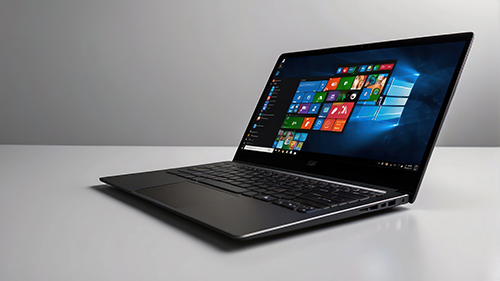
Since October 2025, Windows 10 no longer receives security updates. Millions of PCs are still running it – and many of them can’t even upgrade to Windows 11.
What are your real options? A no-nonsense look at what comes next.
What “end of support” actually means
First, the good news: your computer still works. Windows 10 won’t crash, your programs will keep running and your files are right where you left them. Microsoft ended support – it didn’t activate a self-destruct sequence.
But here’s the thing: since October 14, 2025, Microsoft no longer patches security vulnerabilities in Windows 10. And new ones are discovered regularly – not every few years, but every month. That means every newly found weakness stays wide open. Permanently.
Should you panic? No. But you should be honest with yourself: with every month that passes without updates, the attack surface grows. That’s not a theoretical risk – it’s the entire reason Microsoft (and every other software vendor) releases security updates in the first place.
It gets especially dicey where money and personal data are involved: online banking, email and online shopping. Not because an attack is guaranteed tomorrow – but because if one happens, you probably won’t notice until it’s too late.
Option 1: Windows 11
The most obvious step – and the one Microsoft is pushing hardest. But there’s a catch that Microsoft doesn’t talk about nearly as much.
The hardware hurdle: Windows 11 requires something called a TPM 2.0 chip and Secure Boot. In plain English: computers built before roughly 2018 often don’t meet these requirements. Your PC can be in perfect shape, fast enough for everything you do – and Windows 11 still won’t install.
You can check whether your machine qualifies using Microsoft’s free PC Health Check tool. It takes seconds.
You’ll find guides online on how to bypass the TPM check. That’s not recommended: Microsoft has made it clear that such installations aren’t guaranteed to receive updates. You’d be swapping one problem (no support for Windows 10) for another (potentially no support for your unofficial Windows 11 installation either).
What changes day to day: If you’re coming from Windows 10, there’s an adjustment period. The Start menu is centered (you can move it back to the left), the taskbar has fewer customization options and the Settings app has been reorganized. Most programs run without issues, but the new interface feels unfamiliar at first. Give it a week or two and you’ll generally settle in.
Watch out for OneDrive: If you do a clean install of Windows 11 or set up a new PC, be aware that Microsoft now turns on OneDrive by default and automatically syncs your Desktop, Documents, Pictures, Music and Videos folders to the cloud – without explicitly asking. It sounds convenient, but in practice it regularly causes confusion: files suddenly appear in different locations, the free 5 GB of cloud storage fills up fast and if you accidentally delete something in the cloud, you might lose it locally too. You can turn the sync off after the fact, but you have to know it’s there in the first place.
If the PC Health Check gives you the green light, Windows 11 is the easiest path for most people. The upgrade is currently still free and can be launched through Windows Update.
Option 2: Linux
If your older computer doesn’t support Windows 11, you’ll sooner or later stumble across Linux as an alternative. The question is: does it actually work for regular people?
The honest answer: it depends on what you use your computer for.
For the things most people do every day – browsing the web, writing emails, editing documents and managing photos – Linux works beautifully. The browser is the same (Firefox or Chrome), email clients like Thunderbird look identical and for Office work there’s SoftMaker Office, which runs on Linux and reliably opens and saves Microsoft Office files.
The gentlest on-ramp is Linux Mint. Its interface is deliberately modeled after Windows: Start menu in the bottom left, taskbar at the bottom and file manager just like you’re used to. If you can navigate Windows 10, you’ll find your way around Linux Mint within minutes.
Where it gets tricky: Specialized software can be a problem. Certain tax applications like TurboTax or H&R Block’s desktop software don’t run on Linux. Some printers don’t have Linux drivers. And if your employer requires a specific VPN client, it may not be available for Linux.
Before you switch, it’s worth taking an honest inventory: which programs do you actually use on a regular basis? Are there Linux versions or workable alternatives? If you’re unsure, you can boot Linux Mint from a USB stick and try it out without changing anything on your existing system.
If you can’t give up certain Windows programs but want to use Linux for everyday tasks, you can also install both systems side by side – a so-called dual-boot setup. When you turn on your computer, you simply choose which operating system to start.
Option 3: buy a new PC
This sounds like the most expensive option at first. But if your computer is already eight years old or more, it’s sometimes the most practical one.
A new PC comes with Windows 11 preinstalled, meets all hardware requirements and runs noticeably smoother than Windows 11 squeezed onto older hardware that barely scrapes past the minimum specs. You also get faster SSDs, more RAM and better power efficiency – things you’ll notice immediately in daily use.
Important to know: You can take your data with you – documents, photos, music and bookmarks. What you can’t take are your installed programs. Those will need to be reinstalled on the new machine. Before you make the switch, back up everything that matters to an external drive or USB stick.
Solid new PCs start at around $400 to $500. For everyday tasks – web browsing, email, Office and photos – that’s more than enough.
Option 4: macOS
Switching to Apple is another possibility worth at least mentioning – even if it’s not for everyone.
What’s in its favor: macOS is a solid, well-maintained operating system. Apple delivers regular security updates, the hardware is high-quality and long-lasting and the integration between hardware and software is generally seamless.
What’s against it: Apple machines are more expensive than comparable Windows PCs. A MacBook Air starts at around $1,100, an iMac at roughly $1,300. Then there’s the ecosystem effect: once you’re in the Apple universe, you tend to stay there – and you pay Apple prices for accessories, adapters and services.
Not every Windows program runs on Mac, either. For most everyday tasks there are alternatives – including SoftMaker Office for macOS – but when it comes to specialized software, particularly for work, you should check carefully whether everything you need is available.
For people who already use an iPhone or iPad and don’t mind the price difference, a Mac can be a great choice. As a blanket recommendation for everyone, it doesn’t quite fit.
Option 5: Microsoft’s ESU program
What a lot of people don’t realize: for the first time, Microsoft is offering an Extended Security Updates (ESU) program for individual consumers – not just businesses.
In the European Economic Area (which includes the EU): the program is free through a Microsoft account. Users there receive the extended security updates at no cost through October 12, 2027 – and, unlike in other regions, without needing a OneDrive cloud backup or Microsoft Rewards points.
Outside the European Economic Area: there are three ways to enroll, all covering you through October 12, 2027. You can get ESU free by enabling Windows Backup, which syncs your settings to OneDrive, or by redeeming 1,000 Microsoft Rewards points, or by paying a one-time $30.
The requirement in both cases: you need a Microsoft account linked to your Windows 10 PC and you must sign in with it at least once every 60 days. If you switch to a local account after activating ESU and don’t log in regularly, you risk having the extended updates suspended.
Let’s be clear about what’s going on here: Microsoft isn’t being generous. The Microsoft account requirement is a calculated move. Anyone who’s been getting by without a Microsoft account – and there are plenty of those people – now has to create one and use it regularly. Microsoft gains millions of users who are more tightly bound to its ecosystem. The “free” options are free for the user, but they’re not free for Microsoft – that’s the point.
Microsoft has since extended the program’s window. It still isn’t meant as a permanent solution, but as a bridge to buy time while you figure out your next move, it makes sense.
Option 6: just keep going
And then there’s the option that most people will probably choose: do nothing at all.
That’s your right. Nobody is going to force you to switch your computer or reconfigure anything. Windows 10 keeps working, your programs keep running and in everyday use you won’t notice a difference at first.
But let’s not kid ourselves: the risk grows over time. Security vulnerabilities become public knowledge, attack tools get built around them and Windows 10 no longer gets patches.
If you choose this route, you should at least take a few precautions:
- Keep your browser, your antivirus software and all your other programs up to date – even though Windows itself no longer gets updates.
- Be extra careful with email attachments and links.
- Consider moving sensitive activities like online banking to a different device – a phone or tablet with an up-to-date operating system is enough for that.
- Make regular backups of your important data.
It’s not a catastrophe to keep using Windows 10 for a while. But it is a risk you’re choosing to accept – and you should be honest with yourself about that.
Which option fits you?
Here’s a quick cheat sheet:
- Your PC passes the PC Health Check: Upgrade to Windows 11 – the easiest path.
- Your PC is too old for Windows 11, but you mostly use a browser, email and Office: Linux Mint is worth a serious look.
- Your computer is eight years old or more: A new PC is probably the smartest investment.
- You want to buy some time: Microsoft’s ESU program extends security updates through October 12, 2027. In the European Economic Area, it’s free through a Microsoft account without backup or Rewards points. Elsewhere, you can get it by enabling Windows Backup, redeeming 1,000 Rewards points or paying a one-time $30.
- You already use Apple devices and don’t mind the cost: A Mac is a solid option.
- You don’t want to change anything right now: Then at least keep the precautions above in mind.
Microsoft has every right to end support for an operating system – no software company can maintain products forever. But you have every right to take your time and figure out the best next step for your situation. Don’t let anyone rush you – not Microsoft and not the doomsday headlines.
What’s your plan?
Have you already made the switch? Tried Linux? Or are you sticking with Windows 10 on purpose? Let us know in the comments – we’d love to hear about your experience.
Comments
At today's pricing, to get a decent mid-range system, plan on spending $699-$900 and for something a little better than mid-range $900-$1300. Only get something with an i5 or Ryzen 5 process or faster with 16GB of memory or more. Anything less is a complete waste of money.
Most user-friendly Linux versions come with an App Store like Software Update, just look or PDF in in. Or try finding them before you switch on alterntiveto.net.
https://alternativeto.net/software/flexipdf/?platform=linux
To SoftMaker: Maybe port FlexiPDF to Linux & MacOS & make it part of SoftMakerOffice.
Also build a Rufus USB installer that relaxes Windows 11’s setup checks — it automates the same unattended and registry tricks enthusiasts have used for years and wraps them in a friendly UI so you can bypass TPM 2.0, Secure Boot, and Microsoft account enforcement when necessary.
Keeping Windows as a fall back, but almost never use it.
Linux Mint has been working fine. No need for Windows.
On all hardware I need to run Microsoft apps… but I’ve been using all Linux flavors for over 20 year without any major glitches…
Window 11 has become a subscription advertisement sudo NT/OS system…
So I build custom internet servers with ROM-DOS or Fedora instead of MS Windows… in effect, it doesn’t matter what MS does in the long run
Bypass Compatibility Checks When Upgrading to Windows 11
To prevent the Windows 11 setup program from checking your computer’s hardware compatibility, you need to make changes to the registry.
According to Microsoft’s official documentation, there is an official way to bypass the hardware requirement by adding the AllowUpgradesWithUnsupportedTPMOrCPU registry parameter (link). This option allows you to skip the TPM 2.0 chip and CPU checks when upgrading the OS.
Run the following command to create this registry parameter:
reg add HKLM\SYSTEM\Setup\MoSetup /f /v AllowUpgradesWithUnsupportedTPMorCPU /d 1 /t reg_dword
The AllowUpgradesWithUnsupportedTPMOrCPU registry parameter allows the old CPU and the presence of a TPM 2.0 chip to be ignored, but a TPM 1.2 chip is still required. You will not be able to update in this way if the TPM is missing.
The following PowerShell command checks for the presence of a TPM chip on a computer:
Get-TPM
Get-TPM - check for TPM chip
If the TPM chip is missing (TpmPresent=False), there are workarounds to upgrade to Windows 11 without checking hardware compatibility.
Run the following commands in an elevated command prompt:
reg delete "HKLM\SOFTWARE\Microsoft\Windows NT\CurrentVersion\AppCompatFlags\CompatMarkers" /f
reg delete "HKLM\SOFTWARE\Microsoft\Windows NT\CurrentVersion\AppCompatFlags\Shared" /f
reg delete "HKLM\SOFTWARE\Microsoft\Windows NT\CurrentVersion\AppCompatFlags\TargetVersionUpgradeExperienceIndicators" /f
reg add "HKLM\SOFTWARE\Microsoft\Windows NT\CurrentVersion\AppCompatFlags\HwReqChk" /v "HwReqChkVars" /t REG_MULTI_SZ /s "," /d "SQ_SecureBootCapable=TRUE,SQ_SecureBootEnabled=TRUE,SQ_TpmVersion=2,SQ_RamMB=8192" /f
reg add "HKLM\SYSTEM\Setup\MoSetup" /v "AllowUpgradesWithUnsupportedTPMOrCPU" /t REG_DWORD /d 1 /f
Microsoft doesn’t officially support this method or the other methods described below for upgrading to Windows 11 on unsupported hardware.
The first three commands remove registry entries containing data about previous upgrade attempts and failed hardware requirements checks.
Then, the HwReqChk registry parameter is added to make it seem like the computer passed the minimum requirements compatibility check (TPM, CPU, RAM, etc.).
Once these changes have been implemented, run the setup.exe file from the Windows 11 installation media. You can now perform an in-place upgrade of Windows 10, ignoring hardware checks while keeping your installed programs and files (check the Keep personal files and apps option).
In my opinion, the best version of Linux Mint is LMDE 7 because you are not limited to Cinnamon DE. Installing KDE Standard means you can have a Windows 10 theme, or Windows 11 theme.
Sadly the youngest's PC died (because of one drop of sweat from moi 10 years ago ate into the EC) so new motherboard had to be purchased, and because OEM licence, new keys required from whokeys. Sorted. I made a video showing the new rig with Windows 11 Pro and LMDE 7. Since making the video RAM upgraded by 32 GB and HDD cloned to new SSD for Windows 11 Pro - had to swap SATA data cable from HDD to SSD or Windows would not boot. Resolved Secure Boot issue re Dual-booting by installing rEFIned and editing default GRUB with "=WindowsBootManager".
https://vimeo.com/1210018551
Another overlooked GNU/Linux distro is Q4OS. This has a brilliant third party app, LookSwitcher which brings together multiple Global Themes for its KDE Plasma DE, including Windows XP, Windows 7, Windows 10, Windows 11, and a light and dark MacOS theme called FutureOS:
https://vimeo.com/1041245993
https://vimeo.com/1023942817
Personally I prefer GNU/Linux without systemd and preferring ALSA (Advanced Linux Sound Architecture) over PulseAudio and PipeWire. My daily driver is PCLOS Debian with PlasmaDE, themed like Windows 10.
My only positive during lockdown working from home until I retired was being able to use GNU/Linux instead of FerenOS, then Devuan 3, using SoftMaker Office 2018 and 2021 to modify documents for students with low and no vision. I could even login to the School's server using Remmina Remote with one login. Using a VM of Windows 7 Pro then Windows 8.1 Pro using IE and Edge required 3 logins!
For anyone mainly interested in browsing the web, emails and streaming, I can definitely recommend going from w10 to linux.
Combine this with for instance Brave or Firefox and even on older hardware you should still be good.
https://calibre-ebook.com/download_linux
I switched to Linux Mint, with a Cinnamon desktop, some years ago and have never looked back. Its fast and functional, and you don't have to login to anything (that tracks you) to make it work. There were a few apps that I missed at first, but I have always found Linux alternatives that work well after a little searching. And many things windows will work in Wine. That's where my backup MS Office sits, just in case I ever need it.
I have not seen it online, but I think it would be great if there were a site that shows how people who made the switch to Linux have it set up, the app for app substitutes, etc.
I had to find alternatives for a few apps that I used, and set up wine for some. It was a bit of a hassle but absolutely worth it. You only realise how annoying all the bloat and ads on Microsoft's OS are when you're rid of them, and you'll never want to go back.
Another option that should be mentioned is that you can run Windows 10 in a virtual machine on a Linux host. You can use the software that requires Windows inside the VM, restrict Internet access, you only ever switch it on when you need to, and it's running in a sandbox which greatly reduces the attack surface. In the event of a security problem your emails and personal data will still be safe on the host system.
I always buy refurbished CPU's retired from business upgrades through reputable dealers. Works for my needs, saves me a ton of money when business CPU's system leases expire every few years. I always buy a machine with a "Windows Professional" software version installed, saves me the hassle of software errors when running basic Windows Home or Student Windows softwares.
to use window 7 Just don't update the software and set the date back 5 years.
i do no log the computers on to the internet and use them to keep old files. and to run old software that will not run in windows 11. The kids like the old games that they use to play.
Then came OpenOffice.org, and entered my desktop early before it was replaced by LibreOffice.org. Since then, LibreOffice.org has been my main office system, especially do I like LibreOffice Draw as a simple drawing program and LibreOffice.org Writer as text editor., even though it lacks the "magic feature" "Reveal codes" that WordPerfet was known for.
Adding GIMP as the main photo processor, the separation between Windows, Linux and MacOS has become a non-issue since all three platforms support those programs.
Later - in 2024 I bought a new desktop computer with Kubuntu preinstalled, and discovered how easy that what to set up to get that "Windows feeling" with a proper Start button. So when my old Lenovo laptop from 2016 passed the date for Windows 10 support, I figured out that the main part of the stuff on the computer in fact was LibreOfiice.org documents and most of the programs existed in Linux, a quick document backup to another machine before doing a clean Kubuntu 24.04 LTS install put the machine back in production. Since both my employer and my private email was connected to Google, I have not even installed a mail client, since the machine is mainly used on travels and the mail is accessible via web ...
I have three old computers working (and others that need some repair - mainly a new HDD.) On those three, besides Windows, I have five different Linux distros - dual boot on all. I do everything on Linux except update Windows and its apps and check for problems there. A waste of time, really, but I'm sentimental since I started with Windows in 1992. When the deadline comes, though, it's goodbye Windows.
I realize this option isn't viable for some, but it has the advantage that your OS and software will work just as well a few decades from now as it does today. No bogging down or feature creep, because everything is static. No need to worry about viruses or spyware, since it's offline.
The catch: You need physical media to reinstall the OS and software if anything ever goes wrong, and obviously this option won't work if you are required to use up-to-date software for work/school. On a more technical note, you also need to make sure that when you take your old machine offline it really is offline and invisible to wireless technologies.
This option is perfectly viable even if you DO buy a new, high-end computer for everything. An offline system should always be preferred for any sensitive work. It's a great option for older games, too, just like a legacy gaming console...as long as you can get the games onto the machine.
One other option not mentioned is a Chromebook (yes, that means that you would have to buy a new PC but they are relatively inexpensive). They are very efficient (linux-based under the surface) I've been able to get by with a model that cost me 169 euros (EU). I think they are cheaper in the US. If your activities are web-based then this is an alternative.
I have to add that beside's the more expensive hardware it should be noted that even with a free Operating System with regular Security updates & a yearly new version it will not extend 8+ years either.
MacOS versions get often security updates ut this are only the last 3 MacOS Versions (=3 Years), while you can Update your MacOS freely, you can sty up to date longer then those 3 years of course.
However keep in mind that MacOS system requirements ill phase out your Mac Hardware roughly 6 years after.
So strictly said Your Mac environment will be slightly more expensive but you il ride approximately the same period on it as your current Windows environment before it needs being renewed.
You might have a much smoother ride & more pleasant ride with it. Under the hood it offers you all the same power a Linux version would give you.
But you might face the same limitations for our business needs (VPN, specific software needs). Just as with Linux you can on a powerful enough system run a virtualized PC in it that boots Window for your business needs (even VPN should work here).
Linux user since 2000 on off Full time 2 years use office 2024 you need to make more Linux version software
Never going back...
BTW - thanks Softmaker for making fabulous office apps :-)
We have MS accounts but use locals. OneDrive was the first thing I shut off and uninstalled on both. And I was extremely pissed when Microsoft wrote to tell us they would extend 10 through '27 AFTER I bought the new 11.
I'm a stubborn old cuss running two programs I won't get anywhere else. Admittedly, one of them being Microsoft Money Sunset which you can't take out to the net anyway. I've used that program since 2000 and it's the reason we have a comfortable retirement while everyone else is bitching about gas prices. We are in our 70s now and when I said this is my last computer, I meant it. A lifetime and six Dell computers that hold up longer than the software Microsoft can produce? That's enough for me.
Thank you for another fabulous article. I didn't realize that in the few minutes we were signed into the MS account, my files may have been synced to their damn cloud. Which leaves me wondering if I can get to that cloud and have a look at what's there.
I might add, I had to tweak the resolution on 11 so the text on these two programs could become readable. That took a couple days to figure out.
God Bless your hard work!
I started at Win95, then Win98 and when I got to WinXP? I loved Windows XP! I got SO much more out of XP than any other OS before or since! Win8 was a shitshow, so when MS released Win10 I was in a better place for both productivity and mental well-being.
In all honestly, it looks like Microsoft is in this for the money. At least SoftMaker put out all the options without it costing us our souls.
I think I'm really done with Windows, anything after XP feels like I don't own my computer anymore, getting software like gaming stuff installed with every necessary security update, and then spending hours to uninstall what can be uninstalled.
I started transition to Apple which is not quite as intrusive but unfortunately seems to go into that direction as well.
You forgot to mention the Mac mini as replacement for a desktop, which is cost effective and does the job for common tasks. I recently purchased my second one after running a used 2011 for several years- it still runs great but didn't get OS updates anymore and overtime new browser versions requested by some websites like banking did not install anymore either.
After reading all the comments here I'm very encouraged to try Linux mint on my old Dell, hoping I can go online again to use it at least for video streaming.
Thanks for providing info about all the options and thanks for all the comments.
I regret spending any money on software ever.
This MS move will actually kill all the small software companies in the long term.
Microslop is actually forcing us to use the MS login.
I will never agree to that.
I have to ask MS if I can login into my own computer ?
Plus their security of MS account is horrible and once breached you are left alone and without computer and all your software dead.
Let alone it's installing the Copilot inside the Edge as an separate exe without asking. Let alone you can't uninstall Edge. Remember saving your screen without you knowing ? Switching on encryption for some users, which got locked out because of it ?
I can go whole day with amount of crap we are given as customers from MS.
With all the recent horrible updates, risk is almost bigger if you stay with MS.
The amount of surveillance the Big Bros demand today is scary.
Only hope is that US customers get to senses and start demanding change.
Many gamers are switching.
Installing linux is not answer if you run only windows Apps, but this is the last windows for me, regardless.
Good article, but not hard on MS at all, which I understand.
But what's the difference in State monopoly in communism vs Private Monopoly which in completely unregulated ? At least they don't shoot people for not using MS. But they are blocking us out of everything.
Win10 Pro: Still gets updates every day. Security definitions and sometimes other stuff.
Win8.1Pro (VM) and Enterprise (real hardware): Still gets security updates about once a month. In August 2025 both got a full system update!!
Win7Pro: imagine my surprise when in May 2026, I had the old laptop out, and first thing it did was run off and fetch two shiny new security updates.
Also, there were recently updates for XP64/Server2003.
I think Microsoft's calendar is broken....