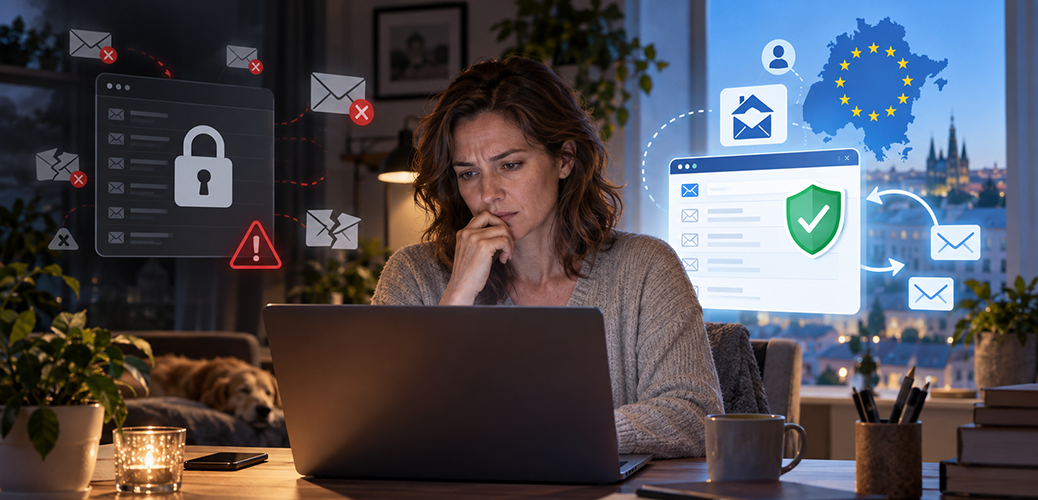
You open your email program, but you can’t access your email account: it’s locked, hacked or shut down by your provider. The old messages aren’t even the biggest problem now. You need a reset link for an online store, a verification code for your streaming account or help logging in to a government portal – and it all goes to the same dead address. You could even lose access to banking services that use email verification.
How do you recover your other accounts when you can’t access the email address they depend on?
“I know my passwords” – isn’t that enough?
“I know my passwords. I’ll just log in and change the email address on file.” That seems like an obvious solution, but it fails the moment a service sends a verification code to the old address when you sign in. You can’t even get in to change anything. The “Forgot password?” feature is no help either: without access to your inbox, the reset link stays out of reach.
That means a single lockout can trigger a whole chain of blocked accounts. While you’re contacting customer support and proving your identity, paid subscriptions keep running, and important deadlines don’t wait either. A backup preserves your old messages. It won’t help you receive the next verification code.
So the real value of your email address isn’t just the messages it holds. It’s the master key to your digital life – and when your provider controls the address, you’ve only rented that key.
Who really owns your inbox?
In 2025, according to court staff, Microsoft shut down the email account of the chief prosecutor of the International Criminal Court (ICC), who is unwelcome in the United States, as a result of US sanctions. Microsoft later disputed reports that it had cut off its services to the ICC.
That exact power – a US provider’s control over a service used outside the United States – is the problem. US providers must comply with US law, regardless of where their customers live. A contract cannot override those legal obligations.
Digital independence therefore also means being able to replace a key provider. Even large institutions are now moving away from US providers to alternatives.
With free email addresses, the issue goes beyond the familiar “free in exchange for your data” debate. The real price is dependence – and paying doesn’t make it go away as long as the address stays tied to your provider.
Your own address, without your own server
What matters is the name after the @ sign. If it belongs to your email provider, you can take your messages with you, but not your address. If instead you register your own domain – an internet name like yourname.com – you can use an address like
The simplest route is a package that combines domain registration and email hosting – the service that runs your mailbox. Choose a package with automatic setup. Also make sure your provider automatically sets up and uses SPF and DKIM for your own domain. You don’t need to know what those are – only that the provider handles the technical details. These methods help receiving mail services tell real messages from forgeries, and they lower the risk of your mail landing in the recipient’s spam folder.
You don’t have to run a server or hunt down technical settings. You can read and write just as before, in your email program or in your browser.
Make sure the domain is registered in your name. Registration comes with ongoing fees and has to be renewed; auto-renewal and up-to-date payment information help prevent your registration from expiring, so you keep the rights to your name.
You’re still renting a mailbox, but the name on the mailbox is now yours.
If the provider becomes unreliable or its customer support lets you down, you move to another provider with your domain and the same email address. Your contacts don’t have to change anything; the addresses on file with stores and other services stay the same too. You back up or transfer old messages separately. During a move, incoming mail may be interrupted briefly, but your address carries over to the new provider. Before you cancel anything, make sure your domain registration will remain active or be transferred to your new provider, so you don’t accidentally lose it along with the old package.
So your domain doesn’t depend on your current provider staying in business.
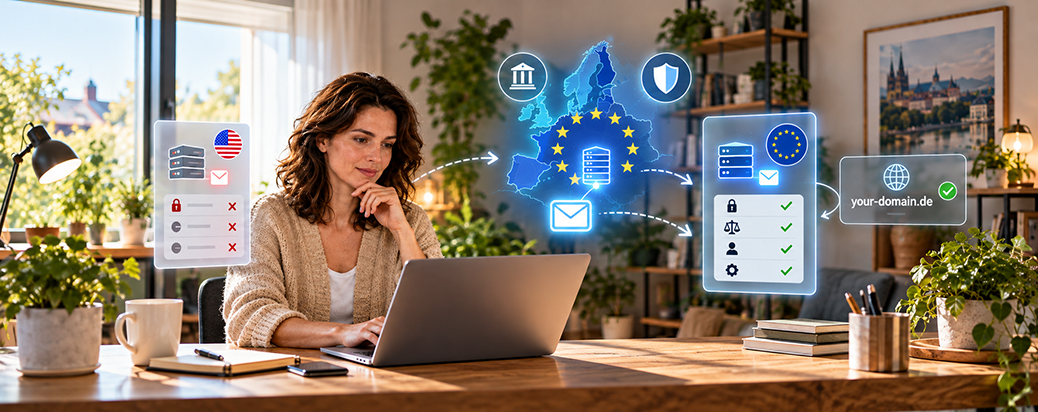
There are two separate benefits here. Your own domain makes sure the address belongs to you – that helps even if your email is hosted by a US provider. A provider under your own jurisdiction is a second, independent benefit.
Where your provider is based matters
For the second benefit, what counts isn’t the technology but where the company is based. The principle is simple: a provider under your own legal jurisdiction, one you can actually hold accountable, gives you leverage. For readers outside the US, that also means checking that the provider isn’t owned by a US parent and looking at who really operates the service, since a local company can turn out to be reselling a US mail service and remain tied to US law. A server in a nearby data center alone isn’t enough.
With an independent provider, that corporate dependency falls away. The advantage is that your rights are easier to enforce and you have a company that is legally within reach. In your own jurisdiction, that company can actually be brought before a court. If your account is locked without cause, you can take the matter to a local court and, in urgent cases, seek an emergency order – a fast, temporary court ruling, though one that doesn’t follow automatically. That’s real leverage, not just another plea submitted through a support form. Still, the real solution in this article remains being able to switch, rather than having to sue.

Choosing a domain and email provider
To register the domain itself, look for a domain provider in your own region that also offers mail hosting, so the domain and the inbox can sit with the same company and be set up together. That’s usually the easiest option. What matters most is that the domain is registered in your name so you can take it with you to another provider.
Beyond the convenient all-in-one route, there are providers that put privacy front and center and run their servers in privacy-friendly jurisdictions. Privacy-focused services may require a little more setup: you register the domain separately and then connect it to the mail service through DNS records. Mailbox.org, based in Germany, works under strict European privacy law and supports your own domain on its Standard plan and above; the smallest plan doesn’t. The separately registered domain costs extra. Proton Mail, based in Switzerland, is especially privacy-focused and supports your own domain on its paid plans; to use it with a traditional desktop mail program, you’ll also need an additional app called Proton Mail Bridge.
Switzerland isn’t part of the European Union, but it has its own, stricter data-protection regime, which makes Proton Mail another sensible option alongside EU-based providers.
Do check, though, that the provider you want even allows your own domain, because not every especially privacy-focused service does. Posteo in Germany, for example, is inexpensive and strong on privacy, but deliberately offers no custom domains at all – so if you want your own address, this is the wrong place to look.
Don’t forget the management account itself
One trap remains: you can lose access to your provider account in exactly the same way as your inbox, if its recovery address depends on the very service that failed. So for that management account, set up an independent recovery address and keep your domain’s registered owner details current. That way you don’t lose control of the very account that’s supposed to keep all the others safe.
The first switch can happen at your own pace
The best time to move to your own domain is while the old inbox still works. Run both side by side at first, and update your accounts with the new address gradually, starting with the important logins. Let your contacts know, and check that messages are getting through. You only need to make this change once – with later provider switches, your address then stays the same.
Take your address into your own hands with your own domain, and have your inbox run by a provider you can hold accountable. That way the service stays replaceable, without you having to update your email address across your digital life every time. You no longer need the perfect provider – you need the freedom to switch.
Feel free to share in the comments your experiences of switching email providers – but please don’t post your email address.
Comments
Viviamo sperando di non cadere in un reale incubo per noi costruito sull'identificazione, fra pass, pin, sim e altre diavolerie connesse. Auguri
So much for your own domain and e-mail servers on local systems, with a local provider, under local law, and your privacy. If the Americans so wish, you can still loose it.
A more useful topic to cover might be to evaluate how any given service provider -- whether one which provides simple email service, or one which provides domain registration + email hosting + more, or some other online service -- gives you good real world protection against account security compromise. There are many possible mechanisms that can be implemented, only some of which are meaningfully useful against real world attackers.
For example, a common normal login sequence is for the service to ask for your username and password for simplicity and convenience. But a more security minded service provider might implement multi-factor authentication (MFA) and let you choose whether that should be enabled for normal logins. Even if you don't enable it for normal logins, the service could require that you configure MFA for use when making security configuration changes, such as changing your password or changing your notification email address. A particularly security minded service provider might even encourage you to set up a different MFA mechanism to authorize such security configuration changes.
A security minded service provider which respects its responsibility to be a reliable service provider for you might also consider how to reduce the ability of attackers to lock you out of your account (a Denial of Service attack). For example, a service that counts the number of failed normal login attempts and locks you out at a simple threshold (or even a more complex exponential back off) makes it pretty easy for an attacker to lock you out. A service could additionally implement a notification mechanism to allow you to attempt a normal login anyway without having to wait for the lockout to expire.
I'd be very interested for somebody to research and write up an article about how different major service providers handle account recovery. I've heard multiple accounts from people I directly know about the difficulty they have had with account recovery.
However, when I did three weeks later!, the process of updating my website did not work. So I had to stop provision by them - not because I wanted to but because this episode blocked any functional updating. So there is plenty of real issues arise round this matter.
Glad it has been discussed. I have many weeks of distress due to failing MFA.