
The stack of paper on your desk keeps growing, the file folder is bursting at the seams, and at some point you make the decision: from now on, everything goes digital. A few weeks later, the stack is growing again – and your guilty conscience right along with it.

The problem is almost never the technology. It’s the sorting.

Why the paperless home so often fails

Most guides to the paperless home read like an instruction manual for a second full-time job. Every document is supposed to be scanned, sensibly named and filed into a carefully thought-out folder structure. “Insurance / Renter’s / 2026,” “Taxes / Receipts / Q3,” “Car / Repairs / Invoices” – a sprawling tree that looks wonderful on paper (the irony...).

And that is exactly where it falls apart. Not because of the scanner, not because of the software, not for lack of good intentions. It fails because of the sheer number of decisions this method demands. With every single sheet, you have to think: What do I call this? Where does it go? Is there already a folder for it, or do I create a new one? Multiply that by a whole year’s worth of mail, and you understand why the resolution so reliably fizzles out.

So here’s the honest and at the same time liberating message: you have to do far less than every guide suggests. The paperless – or more precisely, paper-light – home only works if you make it easy on yourself. And that means, above all: stop sorting.

One important distinction up front

Everything that follows in this article applies to your personal household – your utility bills, bank statements, letters from government agencies, warranty receipts, insurance policies. It does not apply to the bookkeeping of the self-employed or businesses. Business records are subject to legal retention requirements (the IRS, for example, expects you to keep tax-related records for a set number of years), with their own rules for proper recordkeeping and retention periods. If you run a business or work freelance, your accountant is the right person to ask – not this blog post.

For your personal household, though, you’re allowed to relax. Here comes the good news.

The shoebox is allowed – yes, really

Accountants shudder at the infamous “shoebox full of receipts.” For bookkeeping, that’s a nightmare, and rightly so. But for your personal household, this seemingly chaotic approach is exactly the method that actually works – and that you’ll still be keeping up three months from now.

So here’s your explicit permission: you’re allowed to make it easy. You’re allowed to use a shoebox. You don’t have to sort.

Why this works so well is explained by the following four rules. They’re deliberately kept simple – because the real sticking point with the paperless home isn’t the setup, it’s sticking with it. The less effort a method demands, the more likely it is to survive everyday life.
Rule 1: File chronologically instead of sorting by topic

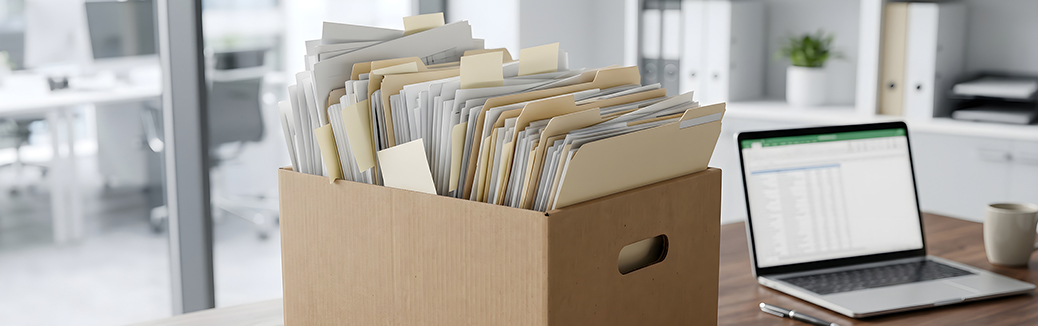
This is the most important rule, and it sounds almost too dull to be true. Instead of sorting your mail by topic, you simply file it by date: new things go in the front, older ones slide toward the back. Done. No thinking, no folder logic, no categories.

The objection is obvious: “But then I’ll never find anything again!” In practice, that’s not true. Because for the vast majority of documents, you roughly know when something happened. The repair invoice? That was shortly after your summer vacation. The letter from the insurance company? It came in the spring, when you moved. You’re not searching for a topic – you’re searching for a time frame, and you usually have that in your head.

On top of that: you’ll almost never need most of it again anyway. The utility bill from two years ago, the bank statement from last quarter, the confirmation of an order long since completed – all of it lands in the folder and is never touched again. It simply isn’t worth investing time in perfectly filing documents you’ll most likely never go looking for.

Rule 2: Throw away instead of hoarding

A chronological folder has a wonderful side effect: when it gets full, you can simply pull out the oldest few inches at the back and toss them in batches. Utility bills, old bank statements, confirmations of completed transactions – none of that has any lasting relevance in your personal life.

Many people hoard paper out of a vague sense of security: “What if I do end up needing it?” But ask yourself honestly when you last needed a two-year-old utility bill. For most personal documents, the answer is: never.

A practical note: don’t just toss documents with personal data into the recycling bin – shred them, or at least tear them up thoroughly. This goes especially for anything with account numbers, addresses or insurance details.

Rule 3: A single box for the genuine originals

“Paperless” is never one hundred percent – and being upfront about that is part of the honesty here. There’s a small group of documents that have to be kept in the original, because a scan won’t replace them:

  • Birth certificates and marriage certificates
  • Notarized documents
  • Diplomas and certificates
  • Certain insurance policies and contracts
  • Deeds and documents relating to real estate, inheritance or pensions

A special case is your will: it shouldn’t sit loose in a box at home, but ideally be kept somewhere safe and findable – with your attorney, in a safe deposit box, or wherever your state allows for proper safekeeping. The point is that it can actually be located when the time comes, and doesn’t get lost. At most, a copy or a note about where the original is kept belongs in your box.

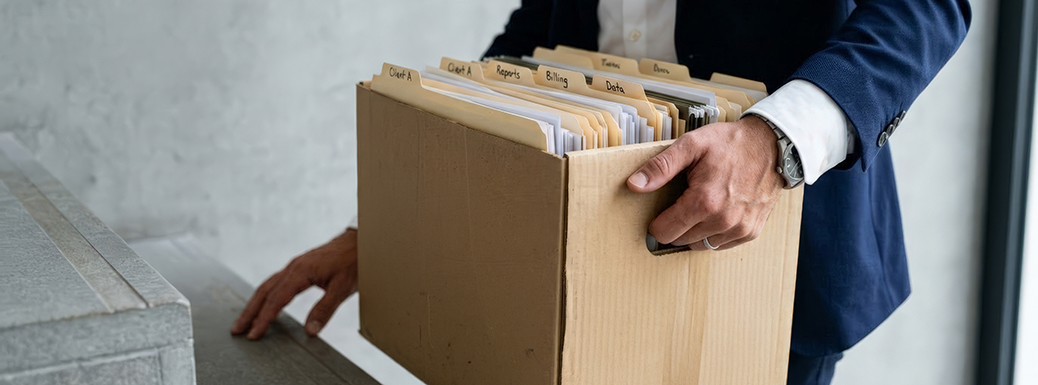
The remaining documents go into a single box. No subfolders, no dividers – one box, in a fixed, secure place. That’s the small, honest remainder that simply doesn’t go digital. And because there are so few, this box is quick to search through even in an emergency.
Rule 4: The same lazy logic, digitally

Now for the actually “paperless” part – and here comes the biggest relief: you don’t have to digitize your entire archive. Scan only what you actually need fairly often.

That’s usually:

  • Active contracts (phone, internet, lease)
  • Warranties and purchase receipts for more expensive devices
  • User manuals you keep digging up
  • Documents you want to be able to access on the go

The rest – your entire old-paper archive – you simply leave in the chronological folder from Rule 1. It isn’t worth running hundreds of old receipts through the scanner when you’ll never look at them again anyway.

And now the crucial point for the digital approach: searchability beats folder structure. Even digitally, you shouldn’t fall into the sorting trap. A “digital shoebox with a search function” is far better in everyday life than a perfectly branched folder tree that you stop maintaining after two months.

The technical key to this is called text recognition, often abbreviated as OCR (for “optical character recognition”). Put simply: when you scan a document, at first it’s just an image – your computer sees a photo, not text. Text recognition converts that image so that the text it contains becomes searchable. You save the document as a searchable PDF file, and later you can search for “Verizon,” “warranty” or “refrigerator” instead of clicking through folders.

Many modern scanning apps for your smartphone and many PDF programs handle this text recognition out of the box – FlexiPDF included, of course. You don’t have to be a pro – all that matters is that your documents end up filed in a searchable form. After that, you barely have to think about naming and filing at all: the search will find it.

The real point of failure, as mentioned, is sticking with it – not the setup. So once more: as little effort as possible. Better a searchable “Contracts” folder that everything gets tossed into casually than an elaborate system that lies fallow after three weeks.

The whole thing in one sentence

Make it easy on yourself: chronology instead of order, tossing instead of hoarding, searching instead of sorting – and a single box for the genuine originals.

This isn’t a glossy system you can show off with on Instagram. But it’s one you’ll actually keep up – and that’s where the whole difference lies. The perfectly sorted folder tree you give up on after four weeks does you no good. The dull chronological stack you hold onto effortlessly for two years is worth its weight in gold.

How do you handle the paper – already mostly paperless, or does the stack reliably grow back? What’s the one thing that lands in your originals box that absolutely can’t be missing? And the classic worth weighing in on: shoebox or folder structure? We’re looking forward to hearing about your experiences in the comments.

Comments

0
Simplicius
1 week ago
For today most bills, receipts, orders, etc arrive in PDF format, I digitally archive them using "Paperless-ngx" with some tag if needed.

If I receive a paper communication, the routine is: scan → save in paperless-ngx (for text searches) → shoebox.

If a document is to be thrown away, as suggested, use always a cheap shredder.

That's all.
Like Like like 3 Reply
0
cricx
1 week ago
Idem for me : paperless-ngx, pdf uploaded directly, and scans in consume folder.
Sometimes manual tagging...
Like Like like 1 Reply
0
Phil Vaughan
1 week ago
Excellent!

My early life was in a completely non-digital environment and until a couple of years ago, I had a 4-drawer filing cabinet (obviously as a mild obsessive, it was the same wood as my desk and storage cabinet!) which was more than half full.

Some years ago, I faffed around with Microsoft Access and made an attempt at a domestic EDRMS. It will come as no surprise that I failed - the surprise was that at the end of the day, I didn't actually have enough paper documents so I almost had a category for each document. Another suprise was that my cabinet contained a significant amount of truly expired documents. I did stop short of scanning leaflets which came through my letterbox - just in case I needed someone who painted garden fences...

I think one CAN have a limited high level sorting but everyone's circumstances differ. For example, I do have a digital folder called 'Car', which, believe it or not, contains everything concerning my car as well as cars I've owned previously. Once in a folder, I agree with the author and everything is then filed chronologically.

History is littered with pontifications such as 'this won't ever happen' so I won't add to the litter but I think as humans, touch remains an important sense. I mentioned leaflets through the door earlier and I will still glance at an unfamiliar one but I wouldn't give it the same attention if it arrived digitally. Hence, I think it will be a long time - whatever that is - before we are fully paperless at home.
Like Like like 2 Reply
0
D McCoy
1 week ago
I’ve kept a fully digital record system for twenty years. While some view scanning and indexing PDFs as an unnecessary chore, the real-world utility is undeniable.

Thermal paper receipts fade to blank paper after a few months, making warranty claims a nightmare. A digital copy is permanent. Need a tax form or an old appliance manual? Instead of digging through physical files or shoe boxes, I pull any document from my NAS in less than two minutes, saving both time and physical storage space.

The only real challenge is staying disciplined enough to process documents as they arrive. But the reward—knowing every important paper from the last two decades is safe, searchable, and instantly accessible—is worth every second.
Like Like like 5 Reply
0
Birdie
1 week ago
What is the point of tossing older documents? Almost certainly it would leave them out of order and you would then have to re-sort them. Surely it is better just to throw them way instead of messing around with them?
Like Like Reply
0
Claustrophobe
1 week ago
For me, medical bills and corresponding insurance statements can get complicated enough that they need a place, a box, of their own. Everything else you wrote makes good sense.
Like Like Reply
0
Keith B Rawls
1 week ago
I have archived important documents for decades and it has worked well for me. I have organized them according to what makes the most sense for me. As the article has well stated, make it your routine and it payoff. I recommend, when buying an item with an owners manual or assembly instructions, go to the company's website and download. No more lost document and no more regrets.
Like Like like 1 Reply
0
Mike
1 week ago
If you need to keep paper receipts and statements for a while. Create a rotating file with 12 months. When you rotate to repeat a month, you can glance at the old files that are 12 months old and throw away as needed.
Like Like Reply
0
Alain
1 week ago
I can confirm Rule 1 made all the difference for me. I used to classify bank statements, bills, tax vouchers etc in a lever arch file, which was time-consuming. Then I realised I could just drop everything for a particular year into a folder. Game changer!
Like Like Reply
0
Tess
1 week ago
Using MS Money since 2001 has digitized my life into a manageable world. In a move or an evacuation emergency, the shoe box becomes just another parcel that needs space in the car or truck. The last 10 years of our careers we took a great joint job of property management. Which means you can get mail but you can't put in a change of address with the post office when you are the resident manager of a business.

This means going paperless with every important (and not so important) correspondence. Everything ends up in a file in a directory on the computer and at the end of the tax year it's archived with the tax return and thereby re-archived onto a CD of tax returns for the last 20 years.

I keep last years' utility bills so I can compare usage from one season to the next and then they're deleted. I keep Money archives of printed reports that belong with the tax returns on the CD and the Money file gets archived and cleaned up every April.

Important papers are safe and "grab ready." So in the move or the evacuation the only parcels I need are my laptop and the external backup drive with our whole world in one place that fits into my pocket. I took the discipline for staying on task in place of the hassle and nightmare of replacing the shoe box.
Like Like Reply
0
Bob Townend
1 week ago
What a great article.
This is a game changer
Been filing in alphabetical order in a cabinet for years.

Then every year remove the previous years docs in each file (and shred)

I can now take a reasonable amount from my shoebox and shred with no thought.
Thank you
Like Like Reply
0
Eduardo
1 week ago
I would include making digital copies of receipts of all purchases, major and minor, along with photos. Ideally in an inventory app. This is proof that will help you tremendously should you have a flood, fire, theft, etc. and to document the basis of your residence when selling if you're a homeowner.

My son had a fire in his rented home. He had $20,000 of renter's insurance that I insisted he carry for the paltry cost of $100 a year. His two roommates did not. It took him weeks of reconstructing what he owned and how much he paid for each item.

In the end, he got most of his items fully covered, along with $10,000 of temporary lodging. His roommates got nothing and lost everything.
Like Like like 2 Reply
0
Stephen
1 week ago
Paper shredders are designed to fail & require replacement. $$$. A black magic marker works well and reduces trash bulk produced by shredding.
Like Like Reply
0
Simplicius
1 week ago
It's my option for Amazon boxes et similar... "To thick to shred".
Like Like Reply
0
Keith S
1 week ago
All my files on my computer are sorted in descending order by date of receipt or initiation. Nothing else makes any sense to me. Microsoft's system of changing file dates when they are moved to a different folder/location is sheer idiocy. Yes, sorting by last changed date is also a viable option, so long as the original first date is still stored with the file.

Also many programs don't retain my sorting scheme when I need to retrieve or save a file. It's often times, "Now where the hell did they hide my file this time?" I've often referred to this as "hiding the file under the typewriter".
Like Like like 1 Reply
1
Lewis
1 week ago
Definitely keep paper copies of important documents, in name order, I am almost 80 years old. It's easier to access a document instead of starting up my laptop, especially if I need information on the phone. I can add notes to this as needed, then gets added to to my computer when I get time. I like both systems, they work well for me. Especially when my laptop decides to be difficult and throws a sicky 🤔 paper is useful.
Like Like Reply
1
Tim Smith
6 days ago
Whilst I agree in concept with the article I find converting or downloading essential documents to PDF to be trivial and effective and filed by Category and Year.
All that is really needed is:
1 Consistency
2 Reliable, multiple backups.
And most importantly;
3. A simple yet advanced Search system such as the free and robust ‘Everything’ application on a computer that will search all your PDF’s by any element or term associated, including partspec searches regardless of category or year, when required.
Like Like like love 2 Reply
0
Thierry
6 days ago
I would like to share a different point of view with you. Although we are able to avoid using paper in most of our activities, paper is still very present. Humans have been using paper for approximately 2200 years. Before that, the Egyptians used papyrus. In a way, paper is alive.

Writing on paper feels more meaningful and natural than typing on a keyboard. Paper bears witness to our history, to who we are and where we come from. A digital file is merely a pale imitation.

A completely paperless system is therefore unlikely, unless we give up our "humanity" for something else. Information technology makes our lives easier and more efficient, but paper is still present.

Even though papers sometimes pile up or look chaotic, that is often just an appearance. Some people find themselves in their chaos, and some forms of chaos can be a source of creativity. In my opinion, as long as we are "human," we will continue to use paper.
Like Like like 2 Reply
0
Deany
3 days ago
Excellent .. inspiring me to clean up my paper and my PC!
Like Like like 1 Reply

Add comment

Submit