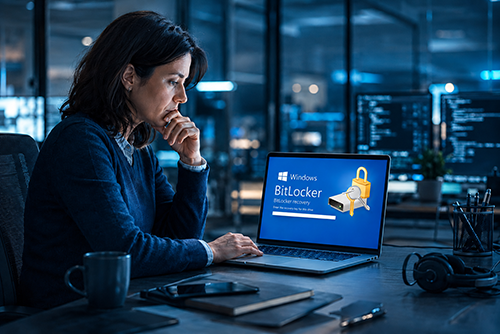
Your PC stops starting normally, then after a repair or a boot problem, a blue screen suddenly appears – and Windows asks for a 48-digit “recovery key.” Many people see that message for the first time in their lives.

What’s unsettling is this: BitLocker is often already active on the computer, even if the owner never knowingly turned it on.

The moment your own PC asks for a key

This is how the story often starts: The computer had a problem, maybe after a failed boot, a repair or a hardware change. Windows no longer starts normally and instead shows nothing but a prompt asking for a recovery key. 48 digits. No clue where to find it. No “Forgot password?” link that magically fixes the situation.

If this happens to you, it’s easy to assume BitLocker is some sudden malfunction or a nasty piece of Windows overreach. In reality, it’s neither. It’s doing exactly what it was designed to do: protect data so effectively that without the correct key, nobody can get to it anymore – not even the owner, if that key is missing.

What BitLocker is, in plain English

BitLocker is Windows’ built-in drive encryption. Put simply, the data on your drive is stored in a way that makes it unreadable without the right key. As long as you sign in normally on the right device, you usually won’t notice any of this day to day. Windows unlocks the data in the background.

The benefit is very real: If a laptop is stolen or the SSD is removed and plugged into another computer, the thief can’t do much with the data. Photos, documents, email, saved browser data – all of it stays unreadable. Especially on laptops that can be lost or stolen while traveling, that’s a very effective layer of protection.

Behind the scenes, this often involves a TPM – a small security chip in the computer that stores the key – along with other security features such as Secure Boot and the Windows Recovery Environment. If those requirements are in place, Windows can use encryption almost automatically.

So far, the picture is straightforward: If you keep sensitive data on a portable Windows PC, this is exactly the kind of protection you should want.

The surprise: Many Windows 11 users already have BitLocker running

The confusing part starts with the names. In Windows, two terms are often blurred together even though, in everyday use, they feel different.

“Device encryption” is the simplified, automatic version. It’s available in Windows 11 Home. “BitLocker drive encryption” is the full, configurable version and is only available in Pro, Enterprise and Education editions. Under the hood, though, both rely on the same technology.

And that’s where the big misunderstanding begins. A lot of users hear “BitLocker” and think: I never turned that on, so it doesn’t apply to me. In reality, device encryption may already be active on their computer – technically the same thing that can lead to exactly the same kind of recovery-key screen.

What matters is how Windows 11 was set up. On newly configured PCs, device encryption switches on automatically once you sign in with a Microsoft account – assuming the required security pieces are present: a usable TPM, Secure Boot and a properly configured Windows Recovery Environment. The recovery key is then tied to that Microsoft account.

If you use a local account instead, this automatic encryption does not just switch itself on in the same way.

That’s the real surprise: Millions of people are effectively running BitLocker on their Windows 11 PC without ever knowingly flipping a switch. Not because Windows is secretly doing something sinister, but because encryption is increasingly becoming the default on new devices. A plain upgrade of an older system doesn’t automatically enable it, but a newly set-up Windows 11 PC often does.

So if you set up a modern computer with a Microsoft account, the right question is no longer: “Should I turn on BitLocker at some point?” It’s more like: “Could encryption already be on – and do I know where my recovery key is?”

The downside: Encryption doesn’t care whether it’s a thief or the owner

This is the part many people only discover when it’s too late. The same encryption that locks out a thief can also lock out you after a hardware change or a boot problem – if you don’t have your recovery key.

That can happen after a motherboard replacement, changes involving the TPM, certain changes in UEFI or BIOS – in other words, the firmware settings that start before Windows – or after a more serious boot issue. At that point, Windows is essentially saying: I’m no longer sure this is still the same trusted environment. Please prove that you’re the authorized owner by entering the recovery key.

And that’s where encryption is ruthlessly neutral. It recognizes no proof of purchase, no plausible explanation and no good intentions. Either the key is there, or the data stays locked.

This is why one point matters: Microsoft cannot recover a lost recovery key for you. If it’s gone and the device demands it, your data may be lost for good in the worst-case scenario. That isn’t Windows being mean. It’s the logical consequence of encryption that actually works.
What you should do right now

The practical answer is therefore not: panic and turn BitLocker off. The right answer is: know that it may already be active and make sure your recovery key is stored safely.

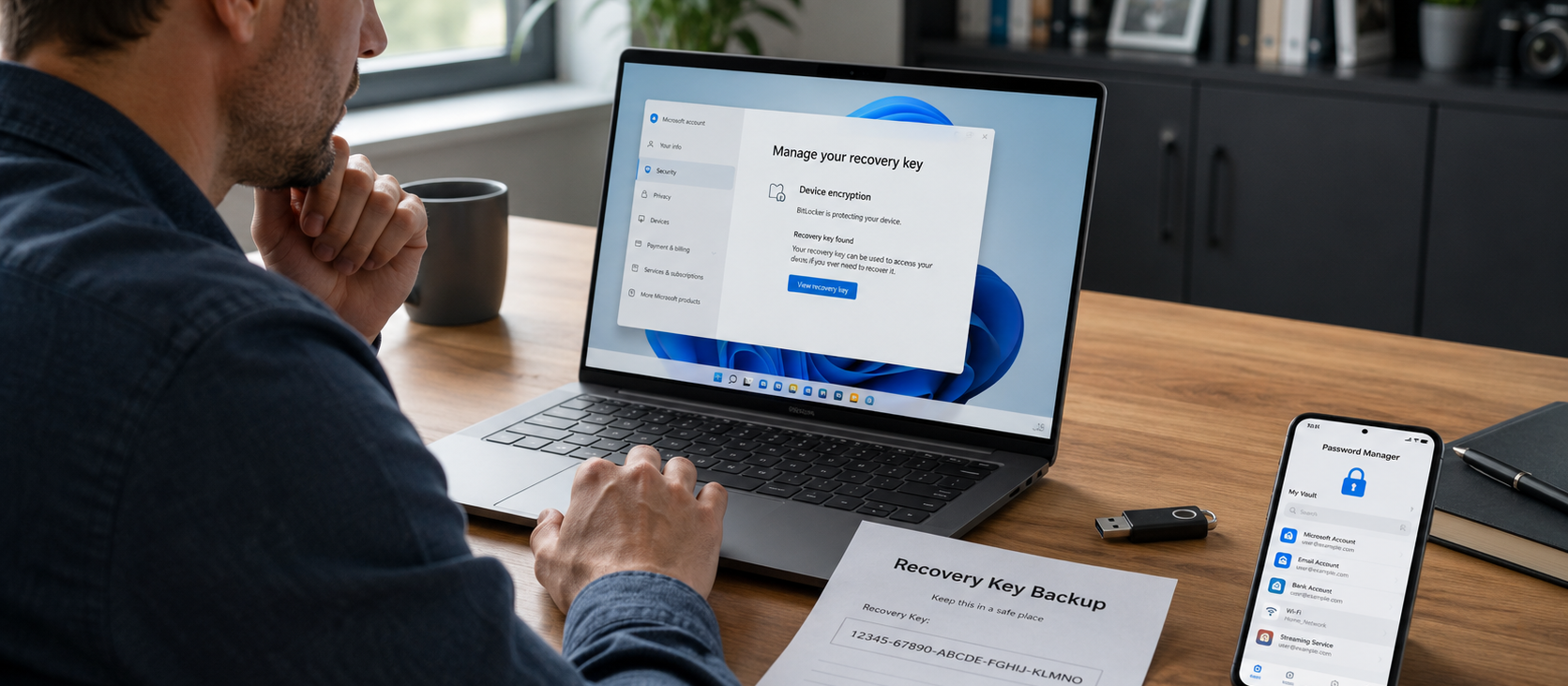
If your Windows 11 PC was set up with a Microsoft account, the key is stored with that account. Microsoft points to the same place through two addresses: aka.ms/myrecoverykey or account.microsoft.com/devices/recoverykey.

Open that page while everything is calm and working, and check whether a recovery key for your PC is listed there. Don’t wait until the blue screen is already staring back at you.

Then store that key somewhere outside the encrypted PC, for example:

Printed out and kept in a secure place

On a USB drive that is not permanently plugged into the computer

In your password manager, if you use one

The key idea is simple: If the computer won’t boot, a document stored on that same computer won’t help you. A screenshot saved locally on that drive won’t help either.

Just take a moment to check whether encryption is active on your system at all. On Windows 11 Home devices, it’s worth looking at the device encryption settings. On Pro systems, check BitLocker management. But the important step is the same either way: find the key once and store it safely.

And what about Mac and Linux?

On a Mac, the equivalent is called FileVault. On Linux, LUKS is common – same principle, same logic, same risk if you lose the recovery information.

Bottom line: Don’t let it scare you – just be prepared

BitLocker is neither hero nor villain. It’s a security feature that is often already active on new Windows 11 PCs without people realizing it, and it protects data by being indifferent to who is locked out. That’s exactly why it can protect you so well after theft and still become a serious problem if you need the recovery key and don’t have it.

So if you use a modern Windows PC, the first question shouldn’t be whether BitLocker makes sense. It almost always does. The more important question is whether you know your recovery key and have stored it somewhere outside the computer.

You don’t need deep technical skills for that. It’s enough to check once whether encryption is active and to store the recovery key in a safe place outside the PC. Then encryption works for you, not against you.

Have you ever suddenly needed a BitLocker recovery key – or only discovered at that moment that encryption had been active on your PC all along? Share your experience in the comments.

Comments

4
John Turner
2 weeks ago
The perfect article to deal with a nightmare!
Like Like like 5 Reply
3
Roelof Tooms
2 weeks ago
Most users do not need Bitlocker and would be a right thing just to undo bitlocker. Also bitlocker does not protect you as a user when working online, it only protects you from physical persons.
Like Like like 5 Reply
2
Changfeng Ding
2 weeks ago
I ran into this once before, and it was a terrible experience. In the end, I found the recovery key in my Microsoft account on my phone.
Like Like Reply
0
Walter Ahlborn
2 weeks ago
oben geschildertes Problem bei einem neuen PC ist mir passiert. Der Schlüssel ist nicht vorhanden auch nicht auf meinem Miocrosoft Konto. Jetzt sind meine Daten auf dem Laufwerk gesperrt und ich komme nicht mehr ran. Dikes war mein Sicherungslaufwerk mit fotos, Dokumenten usw. - Wenn Sie eine Lösung für mich haben wäre super. (w.ahlborn@hotmail.de)
Like Like Reply
0
Peter Williams
2 weeks ago
Bought a new PC last year and the same thing happened to me. Luckily the vendor gave me Windows11 and explained about bitlocker (I had not set bit locker on). This can look bad on the hardware manufacturers when it is a Windows problem.
Like Like Reply
0
Grant Carr
2 weeks ago
Happened to me. A Surface upgrade to Win11 failed and somehow defaulted to a different language version of Windows 10 Pro followed by the blue screen of death asking for my Bitlocker key which my Microsoft account said could not be found for that machine. The field was blank. I still have the brick but none of the data that was on it. I fear it is gone forever so install Linux and start again as I now only use the machine to access NAS files on a local network with the very occasional web search.
Like Like Reply
0
Mar
2 weeks ago
A co w przypadku gdy ktoś ma dostęp fizyczny do komputera i mudułu TPM? Jak wtedy wyglądają kwestie bezpieczeństwa albo jak kupuje się komputer z drugiej ręki?
Like Like Reply
1
Wayne
2 weeks ago
BitLocker makes sense if you have a business laptop that you take on the road all the time and is subject to theft. But for a home desktop computer running Windows 11 Pro that is far too heavy and inconvenient to steal, it seems overkill. I think--whether you run BitLocker or not--it's far more important to have all your data files live on a separate disk/drive--with or without encryption--that is backed up offline every day rather than keeping data files on the "C-Drive" or any system disk, be it Mac or Linux. Again: Photos, documents and such should not be stored on a system disc that is prone to failure--whether OS related or disc-related.
Like Like like 4 Reply
0
Peter
2 weeks ago
Is dit ook van toepassing in Windows 10?
Like Like Reply
0
Alex
2 weeks ago
yes, just the same
Like Like Reply
2
Basil
2 weeks ago
Erase windows, disable bitlocker in the bios and install Zorin linux or linux Mint.

Never return to windows anymore.

Softmaker runs on linux or use Libreoffice.
Like Like like 6 Reply
1
Andy
2 weeks ago
"On Linux, LUKS is common – same principle, same logic, same risk if you lose the recovery information"

Difference is that LUKS is not enabled by default, you have to enable it, typically during installation. So no being caught unaware.
Like Like like 7 Reply
0
Alexander
2 weeks ago
Another benefit: you have to enter a password of your choice every time at boot. Not some random long string of numbers you never remember.
Like Like like 1 Reply
1
Steve
2 weeks ago
Another reason I'm happy to have switched to Linux in 1998. No one forces you to use LUKS on Linux. Also a reason to back up data early and often, perhaps to a non-encrypted external drive. For that, Unison file synchronizer (on Github) is your friend. (Works on Windows too.) Takes me a few seconds to back up over 300Gb of data. Only files or parts of files which have been modified are copied.
Like Like like 2 Reply
0
Russell
2 weeks ago
1998? Wow, it took me 28 years to catch up with you. :-)
Like Like Reply
0
Enrique Rossi
2 weeks ago
Muy oportuno y visionario el artículo. Yo era uno de los usuarios que no sabía que el disco del equipo estaba cifrado por BitLocker.

Siguiendo el consejo del autor guardo ahora mi clave en lugar seguro y accesible.

Muchas gracias
Like Like Reply
0
Galo Villaràn
2 weeks ago
¿Dónde puedo encontrar / hallar la clave?

Me ha sucedido en dos ocasiones... y, ni con un disco de rescate, -corriendo LinUX- pude acceder a las particiones.
Like Like Reply
0
Steven Taylor
2 weeks ago
I’ve had a couple of customers have that situation happen to them. On one of them, Microsoft did not store the key in the Microsoft account. We tried all the Microsoft accounts the customer knew about.

Always better to have a key someplace else.

Apple now has the recovery key for filevault stored in Apple Passwords by default.
Like Like Reply
0
James Furst
2 weeks ago
I setup my laptop with my company and they laid me off. My email removed and I cannot login to the gmail site. So I am screwed. How can I use the drive now?

Your ideas came too late for me. The laytop is dead.
Like Like Reply
0
Rodri
2 weeks ago
No tenía ni idea de este tema, así que he entrado en el enlace que dan y he visto que efectivamente tengo una clave de 48 dígitos (8 grupos de 6 dígitos cada uno), y ahora lo guardaré fuera del portátil. No se si algún día me hará falta pero es muy bueno haberme enterado por si acaso. Gracias
Like Like like 1 Reply
0
Bruce Morton
2 weeks ago
I have a USB external drive that I use to backup my Root (software) and Data discs every week.

Windows placed two BitLocker recovery keys on there on the same day in 2024. I have now printed them out and put them somewhere safe.

Why would it choose an external drive?
Like Like Reply
0
MARINO
2 weeks ago
Purtroppo ho avuto un problema con il ripristino di win 11 che mi ha bloccato i due hard disc in Raid0, in parallelo e anche con la chiave di bit loker riavuta da Microsoft il sistema non ha funzionato ed ho perso tutti i dati ed App installate. Lenovo, l'assistenza interpellata dice che non centra nulla e che il problema è di Microsoft e capita a molti di noi. Microsoft mi ha danneggiato anche il secondo disco di backup. Una cosa vergognosa che il ripristino funzioni così male, seguito poi ad un update che il pc mi chiedeva di fare da mesi e che avrei fatto bene a non eseguire. Ma perchè Microsoft non rende i ripristini affidabili come dovrebbero essere? E' una vera vergogna per chi lavora...
Like Like like 1 Reply
0
Alex
2 weeks ago
Hai sicuramente ragione ma alla fine la risposta è sempre una: fate i backup sono l'unica cosa che ci salva
(anni fa girava un detto: esistono solo due tipi di dati, quelli che avete salvato e quelli che non avete salvato)
Like Like Reply
1
JDaughtryRCN
2 weeks ago
An excellent description of the issue. Reminds me of why I carefully avoid using a MS account to set up my computers.
Like Like like 2 Reply
0
Carl J
2 weeks ago
The other half of the equation is a sync service that backs your data off the device in real time, example OneDrive or CrashPlan. I recommend a small notebook to store all username/passwords, if 2 factor authentication is used save your recovery codes there as well, and also save your BitLocker recovery key (notebooks are ignored by thieves, time is of the essence in a robbery).

Whole disk encryption, especially for laptops on the move, has its uses. If you cannot risk losing your personal data (tax info etc.) to a thief, whole disk encrypt your device but save the recovery key AND have an off device data backup plan.

This is no Linux vs others discussion, it is something all users have to consider, what are my physical risks (device death, thief) and what is the recovery plan to cover those risks.
Like Like like 1 Reply
1
Michael Armocida
2 weeks ago
Terrible idea. Bitlocker, along with all other cloud based password managers were hacked. If not once, then multiple times. The hackers do this in what is known as steal now, decrypt later. As decryption algos get more sophisticated with AI, and quantum computer access more common, you will wake up one day to find your life was stolen. If you didn't use a decent master password to start with, then that day could be tomorrow.

In today's environment, cloud based storage is less secure than ever.

Your best best is to keep your passwords in an encrypted Excel spreadsheet that resides on a flashdrive that you plug in only when you need to look up passwords. Modern day Excel uses AES-256 (Advanced Encryption Standard with a 256-bit key length) combined with SHA-1 or SHA-256 hashing and Cipher Block Chaining (CBC), the same encryption used by banks and the U.S. Government.

Yes, keeping your passwords on an offline flash drive is less convenient, but it is far more convenient than dealing with having all your passwords fall into the wrong hands.
Like Like Reply
0
JackDeth
2 weeks ago
When we setup new computers for customers we always use local accounts and avoid Microsoft accounts like the plague.

The only people who really need encryption are maybe CEO's or other business execs who do a lot of traveling and have large amounts of sensitive data.....or.....Hunter Biden.

You average home user doesn't needs this and it just causes problems. They never turned it and an never saved the key anywhere.....their computer crashes and now there's no way to recover their data. It's ridiculous.
Like Like like 2 Reply
0
Cyclone3211
2 weeks ago
Thank you for making me aware of the auto on. I disable it and now feel safe that BitLocker can not auto on
Like Like Reply
0
SHARLEEN M THIEL
2 weeks ago
I agree with a previous comment. I have a desktop at home. Can I turn off the bitlocker. I have found the key and wrote it down and also stored it on a flash drive
Like Like Reply
0
alpata
2 weeks ago
¿ Y si su PC con Windows 11 se configuró con una cuenta offline? ¿qué pasa?. Ahí lo dejo. Un saludo.
Like Like Reply
0
Pietro
2 weeks ago
va disattivato dal pannello di controllo, magari subito dopo l'installazione e pure successivamente, non è obbligatorio da win11
Like Like Reply
0
Pietro
2 weeks ago
errata corrige: il traduttore non ha tradotto correttamente la mia precedente inserzione, volevo dire che e possibile disattivare il “BitLocker” , sempre dal pannello di controllo di windows 11 in qualsiasi momento, non è un obbligo di
windows 11, anche se magari lo metterebbe in automatico, si può sempre togliere
Like Like Reply
0
MICHEL
2 weeks ago
No recovery key in my microsoft account. So i should not be concerned by this awful problem. Am I right ?
Like Like Reply
0
Alex
2 weeks ago
Nope, just open disk management (WIN + X) and check your C: drive. Maybe you have Bitlocker ON. Just disable it from Control Panel
Like Like Reply
0
Viviane
2 weeks ago
Ótimo artigo. Já verifquei e guardei minha chave à sete chaves.
Like Like Reply
0
Jerzy Bakunowicz
2 weeks ago
A co robić, gdy na moim koncie nie ma kodu zabezpieczającego BitLocker?
Like Like Reply
0
Perry Gretton
2 weeks ago
Very useful article
I have three devices with the same account. I discovered that only the laptop had BitLocker enabled. I stored the key on one of the others.
Like Like Reply
1
Thomas Latimer
2 weeks ago
Bitlocker is great in THEORY but based upon Microsoft's record of software reliability it has the potential to be a nightmare. None of my clients (100+) have either a Microsoft account, Bitlocker, or any of the other 'features' pushed onto computers. We are slowly converting over to Linux. (Just for ref: 46 years in independent consulting, so I have the 'long view' of all of this).....
Like Like like 1 Reply
0
Angel
2 weeks ago
This is very important and useful information. Thank you.
Like Like Reply
0
PwT
2 weeks ago
Good reminder, on Pro even if Bit-locker is turned off under some circumstances your drive(s) may be encrypted, this happened to myself a few weeks ago just after a rare full install, as my two drives are partitioned which works very well for me, a key is required for all six drives, I think it was a quirk that did it but have your key(s) handy, I now have them on several USB drives. It can be as bad as ransomware as there is no way to unencrypt your drives without the key(s) this has never happened before, ever.

if you do not have a MS account to install Windows as some do the situation is worse as you may not be able to access the keys? As it was I had all my data backed up onto several externals, if you keep your external drive plugged in this to may be encrypted too! This could be disastrous with huge bells on - I have tried to educate others on forums & in life regarding what could be a loss of all data, no need to ditch Windows as its a simple solution to sort, just have your keys on a USB, you may never need them, or you may? Good article.
Like Like Reply
0
Bryan
2 weeks ago
Thank you for this article. Like others I, too, had no idea that Bitlocker was automatically set up (I have Windows 11 Home).
I have now obtained the relevant keys for both my computers. Hopefully, they will never be needed.
Like Like Reply
0
Mikael
2 weeks ago
One additional reason, not to, use bitlocker - is performance.
Microsoft's software solution may result in 30-40% in disk performance.
I've tested a drop from 3500 MB/s to 2000 MB/s, without and with bitlocker.

As, always, it is a compromize.
You need to evaluate the risk of your PC being lost vs bitlocker downsides...
Like Like Reply
0
Csaba
2 weeks ago
Aki az adatait biztonságban akarja tudni, az ne használjon Windows-t. Mindent naplóz, mindenről titkos másolatot készít, profilképeket alkot, nyomon követ. A BitLocker is csak ámítás. Mivel a Microsoft készítette, ezért a Microsoft fel is tudja oldani, amikor csak akarja - csak te hiszed azt, hogy az adataid titkos helyen vannak.
Like Like like 1 Reply
0
Dodie
2 weeks ago
Bitlocker screen came up after I did a system restore.and I restarted my laptop . I have 2 Microsoft Accounts. The account I used my laptop is linked to. I put in my 48 digit code. It won't take it even though the account I used said my pc is linked to that account. I don't see any options to to be able to change to the other account and put in the 48 digit code. Now what do I do?
Like Like Reply
0
claustrophobe
2 weeks ago
If my Win 11 Home laptop doesn't have TPM, says it isn't encrypted, and doesn't have a Bitlocker key stored in my MS account, am I free from this lockout threat?
Like Like Reply
0
Mikal
2 weeks ago
I just looked up my bitlocker recovery key, my printed one was actually out of date. That just saved me a lot of trouble.
Like Like Reply
0
Simplicio
2 weeks ago
I'm using Mac and FileVault but, after reading the article, I was unsure about the current recovery key: asked ai how to rotate and display it.
Now is saved in my password manager.
Thanks!
Like Like Reply
0
AlexT
2 weeks ago
I found the hard way that I had BitLocker on once when I got the blue screen of death. Fortunately it said that the key was likely attached to my MS account, so I went there with my tablet and found two such keys. The second one unlocked the drive. I now have a copy of the key on my phone and on my tablet.
Like Like Reply
0
yyy
2 weeks ago
thanks, microsoft is so shabby, fast and loose with ordinary everyday consumer users, why would anyone want to rely on onedrive, account etc unless absolutely necessary ?!!
Like Like Reply
0
T. Hopkins
2 weeks ago
Good article, but a week too late and completely disagree about BitLocker's utility. It took me two hours to diagnose, chase down account information, and unlock Bitlocker on a friend's computer after reinstalling Windows to clean a nasty virus. BitLocker was only a problem, not a solution. Sure, if you think someone might go through the effort to physically steal your hardware just to get your data, then encrypt. But this not a real-world threat for most users. There are MUCH easier ways to steal data. Like the virus that infected my friend's computer. If they wanted the data, it's long gone. No need for big lock's on the door when the Windows are open. Yes, pun intended.
Like Like Reply
0
Nelson André Hofer d
2 weeks ago
BitLocker is a feature offered by Microsoft that, initially, serves the company's interests more than the user's.
I believe it is best for each person to find their own way to protect their PC, while being fully aware of the details of the tool they are using.
Like Like Reply
0
Leonardo Colombia
2 weeks ago
A mí me ocurrrió con un portátil que duró varios días apagado con la batería dañada, al iniciar la BIOS estaba cambiada y al pasar a Windows apareció Bitlocker. Afortunadamente logré ingresar desde otro PC y pudo encontrar la llave de Bitlocker del dispositivo, acto después ya dentro de Windows desactivé Bitlocker para siempre.
Like Like Reply
0
Stephen
2 weeks ago
Thank you for explaining clearly yet another Microsoft problem waiting to cause untold destruction of time/labor/money, and user comments that help deal with it quickly & easily. I can't help but wonder, if my Windows 11 Pro is ever taken on line again, would another MS push simply reactivate the disabled BitLocker?
Like Like Reply
0
Bob
2 weeks ago
Regarding BitLocker, noting the recovery key and then turning Bitlocker off is a waste of time. Each time Bitlocker is turned back on it generates a new key, therefore the one you wrote down may not work.
Like Like Reply
0
RS
1 week ago
I followed the link. The Microsoft website informed me I had no Bitlocker encryption key set up. Most of my data is on an external drive(your Friday chat a couple few weeks ago covered saving in multiple drives etc.) so I only use about 0.1Gb of Microsoft cloud.
Like Like Reply
0
Malcolm
1 week ago
Another useful post. I have just installed (Win 11 pre installed) a new desktop computer after a lightning strike knocked out the router, cables and computer. I did not know that BitLocker was installed and ON - neither did I immediately know what the recovery key was. But got there in the end. Switched BitLocker off. I keep all data files on a NAS and Cloud. So no real privacy risk on the computer itself. Twice Microsoft have killed off my laptops (Win7 and Win10). I have moved away from Microsoft (Office, OneDrive etc) and now happily use alternatives. The less I have to do with Microsoft the better.
Like Like Reply
0
Joe Hernandez
1 week ago
Totally agree!
Like Like Reply
0
Roberto Ferreira
1 week ago
Buenos días gente: Conozco la palabra la he visto en el Panel de Windows, pero sinceramente en 26 años no supe de que se trata. Ni lo toqué. He tenido problemas de arranque si, pero no frecuentes. Mi norma es mantener copias de seguridad actualizadas y tres discos en funcionamiento. El C: para los programas y el D: para las carpetas y datos del momento y un Disco Externo de 4Tb, para lo importante a guardar. No guardo archivos en la nube. Cada 6 meses desinstalo el S.O. y lo vuelvo a reinstalar junto a los programas que más utilizo. No me lleva mas de 1 hora y el Pc volando de nuevo. Cuando tengo problemas de arranque uso el mismo sistema. No me complico perdiendo el tiempo con archivos de recuperación o buscando porqué no arranca. Evito el malhumor y no me tiro de los pelos. Saludos.
Like Like Reply
0
Joe Hernandez
1 week ago
Yeah, I also ran into that nightmare on a Windows 10 & lost all files. I would be inclined to turn it off next time on a Windows 11 system.
Like Like Reply

Add comment

Submit