Processador de Texto TextMaker para Windows, SoftMaker, Softmaker, Textmaker

 Diese Seite in Deutsch This page in English Español Português


Home

Products

Projects

Support

Shop

About us

SoftMaker Office

Older Software

Font Collections

CD Labeling

2010 for Windows

2008 for Windows Mobile

2008 for Linux

2008 for Windows CE

Overview

TextMaker

PlanMaker

Presentations

BasicMaker

In the Press

Downloads

SoftMaker


Academic Pricing | Blog | Forum | Resellers | Site Map | Contact us | Your Feedback


Free fonts: www.freefont.de


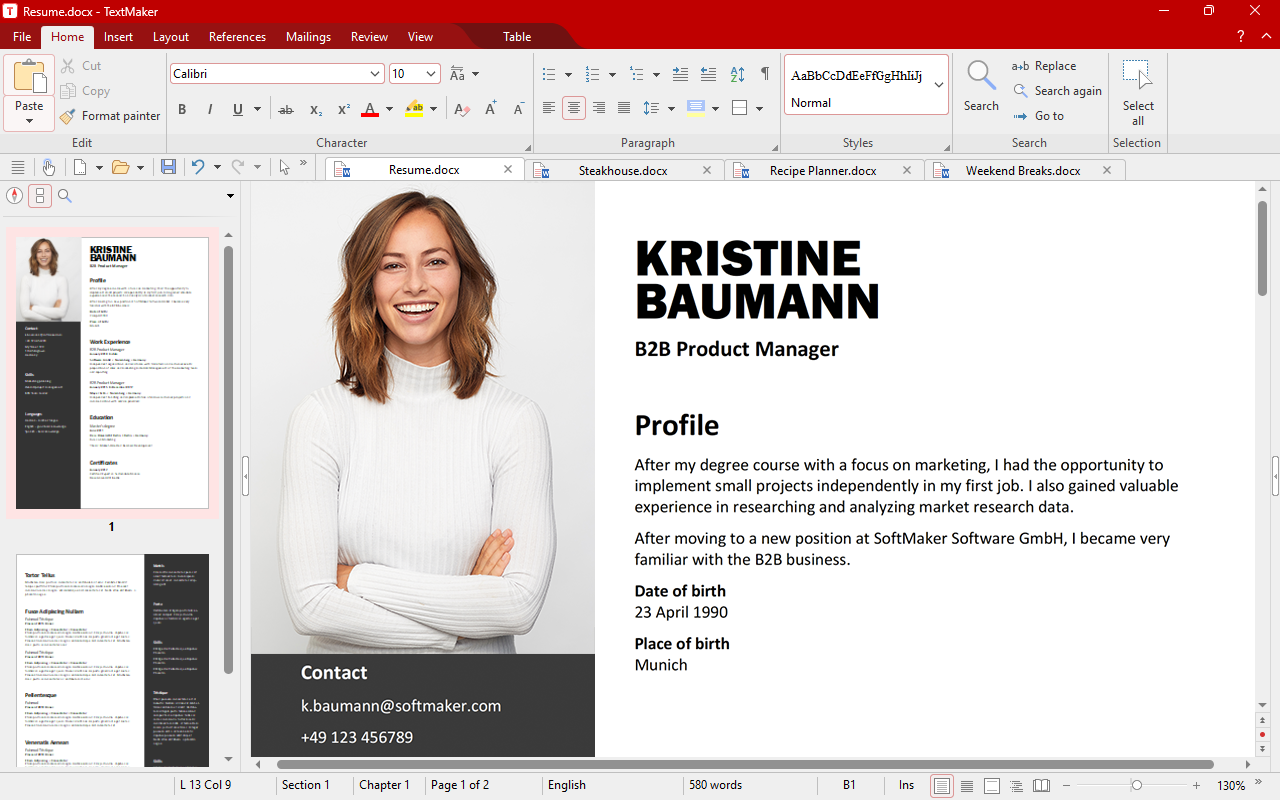
TextMaker is versatile: One moment, it is a lightning-fast word processor for your everyday correspondence, the next it lets you easily lay out a brochure. One minute, you are a writer, the next you are a designer.


What's new in TextMaker 2010?

NEW: Document tabs for easy switching between open documents

NEW: Faithful import and export of DOCX files (Word 2007)

NEW: New and improved spell checker, now covering 20 languages

NEW: Strong graphics features such as mirror effects, soft shadows, transparencies, and image manipulation

NEW: All drawings are now fully antialiased.

NEW: Show multiple pages side by side

NEW: Improved PDF export

NEW: Import and export wizards for text files

NEW: Captions, tables of figures

NEW: Support for Arabic

... and much more!


Master your everyday correspondence

You write letters or short notes every day. Always in a hurry, everything needs to be ready now... For that, you need a word processor that relieves you of routine tasks:

When you write a letter with TextMaker, you don't have to type in the recipient by hand. You simply pick him or her from TextMaker's built-in address book. TextMaker quickly inserts the recipient's name and address in your document, and you can concentrate on the content of your letter.

TextMaker checks your spelling while you are typing, marking typos with a red underline. This is not limited to just English: TextMaker supports spell checking in 20 languages, even in Russian or Arabic.

Do you need an envelope for your letter? For this, TextMaker comes with an envelope wizard that frees you from manually measuring and positioning the address and sender fields.

TextMaker does all of this automatically. The only thing it doesn't do for you is actually write the letter.


Using TextMaker at the office

When you use a word processor at the office, data exchange plays a pivotal role. You receive a Word file by e-mail, work on it, then forward it to somebody else.

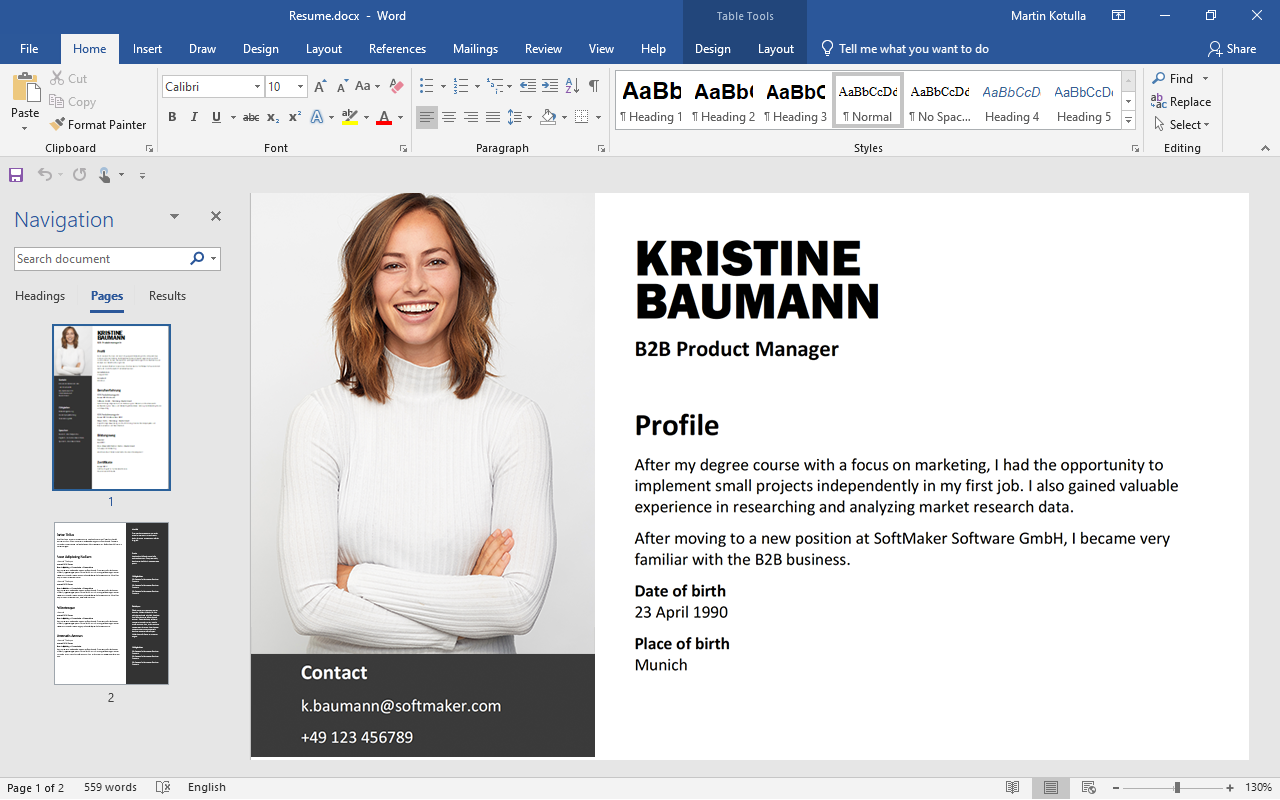
Many features in TextMaker have been designed with the goal of allowing TextMaker users to work seamlessly in Microsoft Word-dominated environments:

TextMaker offers superior compatibility with Microsoft Word. You won't find any other word processor that is as capable of handling complex Microsoft Word files as TextMaker.

Microsoft Word 2007: In addition to the DOC file format from Word 2003 and before, TextMaker now faithfully reads and writes the modern DOCX format of Microsoft Word 2007. With that, the barriers to exchanging documents are gone.

Tracking changes: As soon as you switch on the Track changes feature, TextMaker records all changes made to a document. If you let a colleague or superior review this document, he or she can accept or reject your changes one by one, no matter whether they work with TextMaker or with Word.

Comments: TextMaker's comments feature is just as compatible: Comments and annotations appear as balloons in the right page margin – just like in Microsoft Word.

It goes without saying that you can export documents to PDF format and, if you so wish, send them out by e-mail.


High-quality proofing tools

TextMaker comes with advanced proofing tools – the German government's commission on the German language preferred TextMaker's spell-checker over all other word processors!

Of course, TextMaker doesn't limit itself to the German language: it comes with spelling dictionaries in 20 languages, synonym dictionaries in 10, and reliable automatic hyphenation in 33 different languages. With TextMaker 2010, spell-checking is now possible even in Russian, Arabic, and Greek!


Easily create brochures and posters

If the task is not only to author text but also to create attractively designed documents, you will find an exceptionally capable partner in TextMaker. TextMaker's layout features go far beyond what conventional word processors offer.

It starts with TextMaker's unique object mode which places a "layer" on your text page on which you can freely place pictures, text frames, drawings etc. Master pages are an extension of object mode: you are not limited to simple headers and footers anymore but can place objects everywhere on the sheet, and TextMaker repeats these objects on every page of text.

A full set of AutoShapes and the TextArt feature for stunning text effects and playful logos come with TextMaker, too. All objects can now be adorned with soft shadows, glow effects, and mirror effects.

Advanced typographic features such as contour wrap and kerning complete TextMaker's design repertoire.


Built-in special effects
TextMaker now offers special effects such as mirroring, soft shadows, and a glow effect


An ace even with large documents

TextMaker masters large documents with ease. While some competitors falter, TextMaker works reliably even on long documents.

TextMaker supports footnotes and endnotes, indexes and tables of contents, figure captions, tables of figures, bibliographies, and much more. You can also structure documents with the help of TextMaker's built-in outliner that lets you rearrange paragraphs and chapters quickly.


TextMaker is truly multi-talented

With TextMaker, you receive a word processor that can be used universally – from simple documents to sophisticated designs, from business correspondence to dissertations. All of this comes in an easy-to-use package and with the proverbial reliability for which TextMaker is renowned.


Free trial software download

You can download the trial version of SoftMaker Office 2010 for Windows free of charge here.


Some outstanding TextMaker features

Desktop publishing capabilities such as master pages, flexible frames, object mode, contour wrap, and kerning

Create PDF files directly from the application

Can be installed to USB flash drives

Track changes and add comments like in Microsoft Word

AutoShapes and WordArt-compatible font effects ("TextArt") like in Microsoft Word

Spell-checking in 20 languages

Easy-to-use built-in address database: builds letters and mail merges in seconds.

Envelope creator

Menus and dialogs in 16 languages (switchable on-the-fly)

SoftMaker Office 2010 for Windows

EUR 69.95

Customers in the U.S. and Canada: US$ 79.95

Upgrade from older
versions of SoftMaker Office, TextMaker, PlanMaker:


€ 49.95
U.S. and Canadian customers: US$ 49.95

Order online


Features

Easy data exchange

Direct document exchange with TextMaker 2010, 2008, and 2006 for Linux, Windows Mobile, and Windows CE

Seamless document exchange with Microsoft Word 6.0, 95, 97, 2000, Word XP, Word 2003, and Word for Mac

NEW: Reads and writes Microsoft Word 2007 (DOCX) files faithfully

Reads and writes OpenDocument and OpenOffice.org documents

Reads and writes numerous additional file formats – HTML, RTF, Pocket Word, ASCII, Unicode

NEW: Wizard for importing and exporting text files

Create PDF files (even PDF forms) directly from TextMaker

Print preview

Print 2, 4, 8, or 16 pages on one sheet of paper

Editing text

Insert fields like date, time, page number, author, auto-numbers, etc.

SmartText: just type e.g. "asap" and "as soon as possible" will appear (fully customizable)

Calculations in text and tables

Formatting text

Extended character formats like small caps, font color, hidden text, adjustable character spacing and character width

Extended paragraph formats like automatic numbering, bullets, borders, shading, fill patterns, widow/orphan control

Character and paragraph style sheets

Stylesheet manager: manages your styles and lets you copy them between different documents

Kerning

Transfer formatting with the format brush

Line, paragraph, and headline numbering

Headers and footers, master pages (e.g. for watermarks)


Complex documents

Outliner that lets you easily promote, demote, and rearrange passages of text

"Track Changes" tracks all changes made to documents and lets you accept/reject them later

Comments – add annotations to any part of your documents

Cross references, footnotes, endnotes, tables of contents, indices, bibliographies

NEW: Captions, tables of figures

Easily create forms with input fields, checkboxes, drop-down lists etc.

Drawing and Designing

Comprehensive drawing and image functions: Draw and design directly in your documents, fully compatible with Microsoft Word's AutoShapes

NEW: Strong graphics features such as mirror effects, soft shadows, transparencies, and image manipulation

NEW: Cropping of pictures directly in the software

Change brightness, contrast, and gamma of images directly inside TextMaker

NEW: All graphics and drawings are painted antialiased.

Drawings can be filled with colors, patterns, bitmaps, and gradients

Contour wrap

"Sticky" connector lines between objects

Large symbols library for flowcharts and org charts

TextArt feature for amazing type effects

Tables

True nested tables, tables spanning more than one page

Merge, split, and rotate cells

Repeating header rows (rows with headlines automatically repeat on every new page)

Sorting of text and tables


Unicode support

TextMaker is Unicode-enabled. It can be used for writing documents in all Western, Central European and Baltic languages, Russian, Greek, Arabic, Chinese, Japanese and Korean.

Extended support for Asian scripts

NEW: Extended support for Arabic

Proofing tools

Multi-language spell-checking, thesaurus, and hyphenation

Automatic spell-checking: typos will be underlined in red.

NEW: Spell-checking in 20 languages, thesaurus for 10, and hyphenation in 33 languages

Extras

TextMaker works as an OLE server and lets you insert its documents in any other program.

SoftMaker Equation Editor allows easy creation of mathematic formulas

Comprehensive built-in address book and database (dBASE format)

Envelope wizard: Create envelopes that print right even on the first try.

Full-screen mode hides all menus and toolbars

Macro programming with BasicMaker and other programming languages

Sorting, searching, selecting, filtering by condition

Create lists and labels

Easy creation of mail merges and fax merges

Free-of-charge technical support

System requirements

Windows 7, Vista, Windows XP, Windows 2008, Windows 2003, Windows 2000

The SoftMaker Equation Editor is licensed from:

Design Science


Multi-language support

User interface:

English UK, English US, German, Spanish, Italian, Portuguese, French, Dutch, NEW: Swedish, Hungarian, NEW: Greek, Turkish, Russian, Bulgarian, NEW: Arabic, Simplified Chinese, and Japanese
 

Spell-checking:

English US, English UK, German, German (reformed), Swiss-German, Swiss-German (reformed), French, French (Canada), Italian, Spanish, Spanish (Latin America), Portuguese, Portuguese (Brazil), Dutch, Danish, Swedish, Norwegian, NEW: Russian, NEW: Greek, NEW: Arabic
 

Thesauri (synonyms):

English UK, English US, German, German (reformed), Swiss-German, Swiss-German (reformed), French, French (Canada), Italian, Spanish, Spanish (Latin America), Dutch
 

Automatic hyphenation:

English (UK), English (USA), German, German (reformed), Swiss German, Swiss German (reformed), French, French (Canada), Italian, Spanish, Spanish (Latin America), Portuguese, Portuguese (Brazil), Dutch, Danish, Swedish, Norwegian, Finnish, Turkish, Greek, Czech, Polish, Slovak, Slovenian, Croatian, Serbian, Romanian, Bulgarian, Russian, Ukrainian, Estonian, Latvian, Lithuanian


 © 2010 SoftMaker Software GmbH


Pricing includes VAT for customers inside the EU. Add shipping & handling.