Word Processor TextMaker for Windows, SoftMaker, Softmaker, Textmaker

 Diese Seite in Deutsch This page in English Español Português


Home

Products

Projects

Support

Shop

About us

SoftMaker Office

Older Software

Font Collections

CD Labeling

2008 for Windows

2008 for Pocket PCs

2008 for Linux

2008 for Windows CE

Overview

TextMaker

PlanMaker

Presentations

BasicMaker

Comparison

In the Press

Downloads


Academic Pricing | Forum | Resellers | Site Map | Contact us | Your Feedback


Free fonts: www.freefont.de


SoftMaker Presentations 2008 for Windows

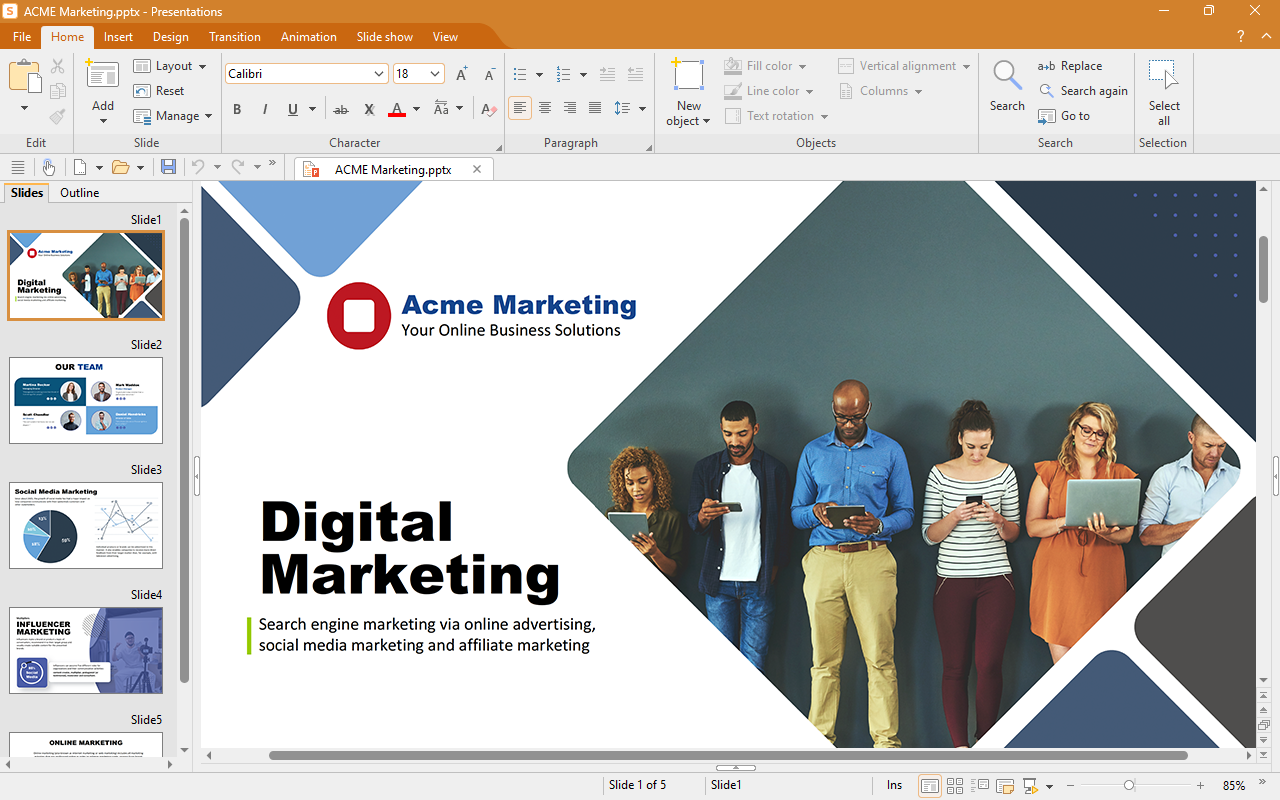
SoftMaker Presentations 2008 is the brand new presentation graphics program in SoftMaker Office 2008 – fully compatible with Microsoft PowerPoint, yet easier to use and much less expensive.

SoftMaker Presentations lets you create any kind of presentation, from simple school projects to complex business presentations. Show your presentations as slide shows, export them as pictures, or pass them on as PowerPoint files.

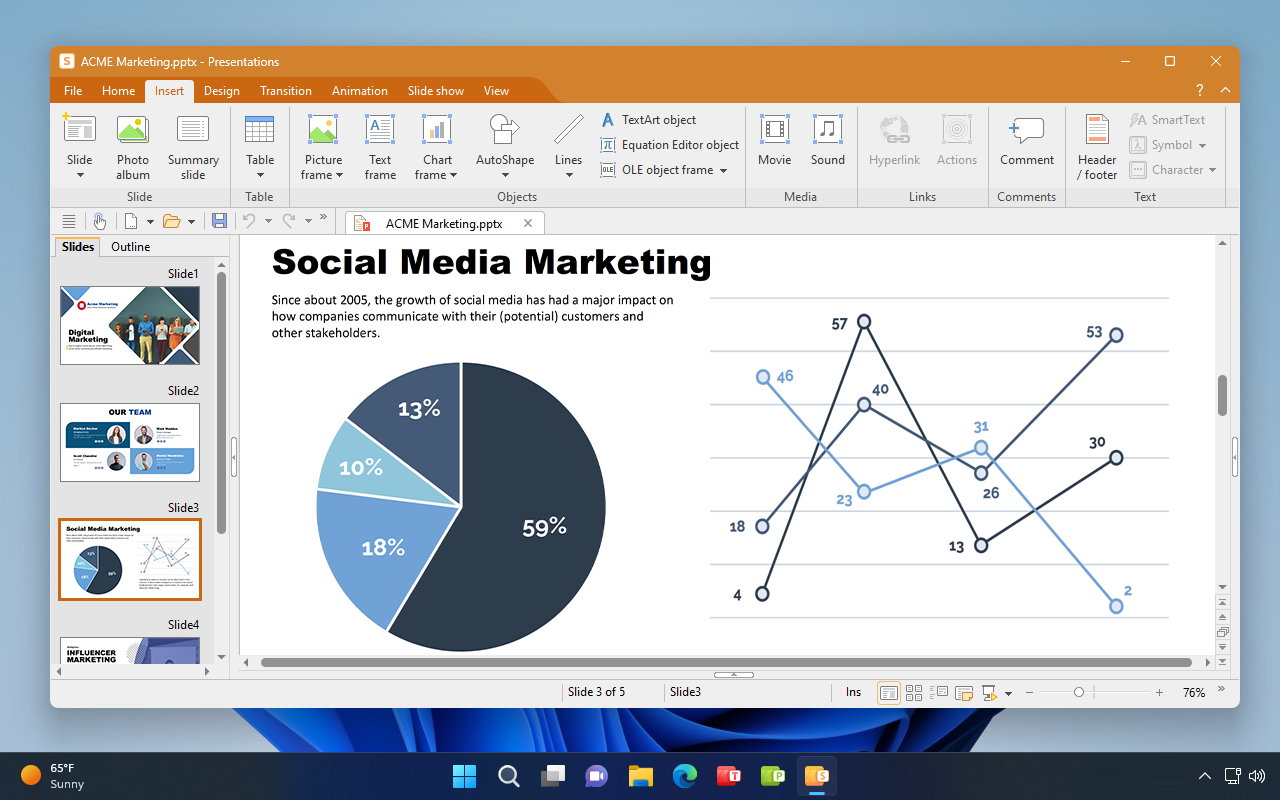
You can add all kinds of AutoShapes and format them with a full repertoire of graphical variations. Not only that: you can also animate objects as you like, set up stunning transitions between slides, insert movies or sound files, and create interactive slide shows that can be navigated with pushbuttons. All functions are fully compatible with Microsoft PowerPoint, but easier to use.


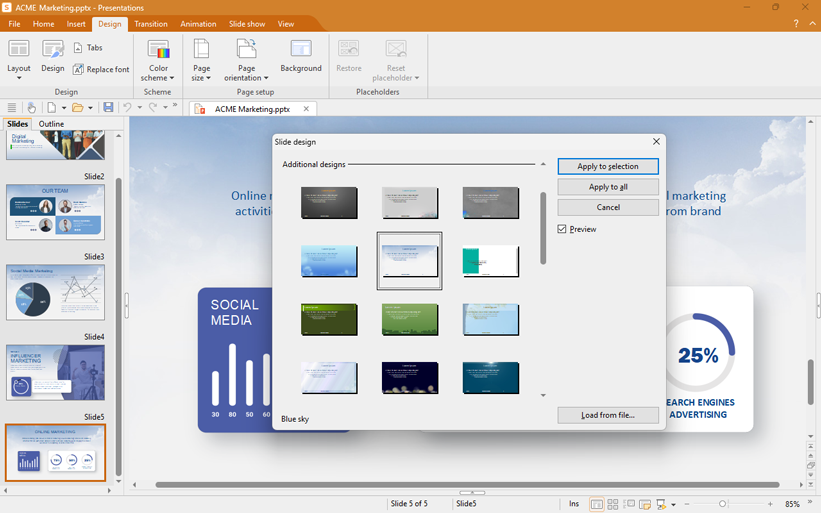
Comes with numerous design templates

SoftMaker Presentations comes with more than 40 attractive design templates: with a simple mouse click, a complete presentation changes from classic or elegant to fancy and colorful, and back. The built-in designs browser lets you quickly find a matching design for each of your presentation projects.


SoftMaker Presentations 2008 for Windows

SoftMaker Office 2008 for Windows

EUR 69.95

Customers in the U.S. and Canada: US$ 79.95

Upgrade from older
versions of SoftMaker Office, TextMaker, PlanMaker:


€ 29.95
U.S. and Canadian customers: US$ 39.95

SoftMaker Presentations 2008: Design templates
Some of the design templates
included in Presentations

Also shipping with SoftMaker Presentations is a large collection of picture bullets that let you quickly achieve visually pleasing results.


Color schemes switch colors with the flick of a key

Color schemes are another feature that makes your work much easier. With a few mouse clicks, you can easily recolor a complete presentation – and SoftMaker Presentations takes care of matching the colors.

One single command converts the left presentation to the right one.

SoftMaker Presentations 2008: Blue color scheme
Blue color scheme


SoftMaker Presentations 2008: Red color scheme
Red color scheme

If you open a PowerPoint file, all existing color schemes are preserved. The same goes for saving – something that not all competing products manage to achieve...


Put your presentation in motion: Animations and transitions

SoftMaker Presentations offers a wide range of objects that you can insert in your presentations: text frames, tables, pictures in a large variety of file formats, AutoShapes, freehand drawings, images from your scanner or digital camera, OLE objects, even sound files and movies.

You can animate each of these objects. If you want to put your presentation in motion, simply select one or more animation effects from the huge list of effects that SoftMaker Presentations provides – SoftMaker Presentations offers all the animations that you know from Microsoft PowerPoint.

Furthermore, you can add transition effects that appear when going from one slide to the next. SoftMaker Presentations offers a wide range of effects here as well.


Sort, arrange, structure

SoftMaker Presentations 2008: Slide sorter
The slide sorter

SoftMaker Presentations lets you structure your presentations through its built-in outliner. It looks similar to the one in TextMaker, but is tightly linked to the slides: if you change text in the outliner, the corresponding slide is updated on-the-fly and vice-versa.

You can sort slides in the "mini sorter" as well as in the regular full-screen sorter. The mini sorter appears to the left of the current slide, the full-screen sorter occupies the whole application window.


Your competent partner for presentations

With SoftMaker Presentations you receive a powerful, compatible, and affordable presentation graphics program. SoftMaker Presentations is your competent partner for all types of presentations.


Free trial software download

You can download a free trial version of SoftMaker Office 2008 for Windows here.


Features

Files and printing

Presentation files can be exchanged directly with SoftMaker Presentations 2008 for Linux, Pocket PCs, etc.

Seamless document exchange with Microsoft PowerPoint 97, 2000, XP, and 2003 as well as PowerPoint for Macintosh

Read and write PowerPoint files (.pps and .ppt) with all animations, slide transitions, color schemes, etc. preserved

Create PDF files directly from SoftMaker Presentations

Print and create PDF files with slides, outlines, handouts, and notes

Export entire presentations as collections of images

Designing

Numerous attractive design templates give you impressive results fast.

Each design comes with many matching color schemes.

Create your own color schemes and switch between them instantaneously.

Pre-defined slide layouts let you rearrange slide contents with a mouse click.

All layouts have generic placeholders that can be filled with text, graphics, tables, or multimedia, as required.

Sophisticated master page concept (allows global changes on all slides simultaneously)

Many graphical bullets included


Animations and slide transitions

Hundreds of object and text animations available

Ready-made animation schemes that animate entire presentations at once

Many attractive slide transitions – completely compatible with PowerPoint

Drawing and graphics

Insert images in all common formats

Draw directly on the slide

TextArt gallery for impressive type effects (compatible with WordArt)

AutoShapes (compatible with Microsoft's AutoShapes)

Tables with many advanced formatting options

Multimedia

Insert movie and sound files

Play multimedia files either automatically or through actions (click or mouse-over)

Flexible output

Flexible customization of slide shows

Interactive presentation of slide shows with virtual pen and highlighter

Automated presentations without a speaker (kiosk mode)

Run slide shows on a second monitor or a video projector

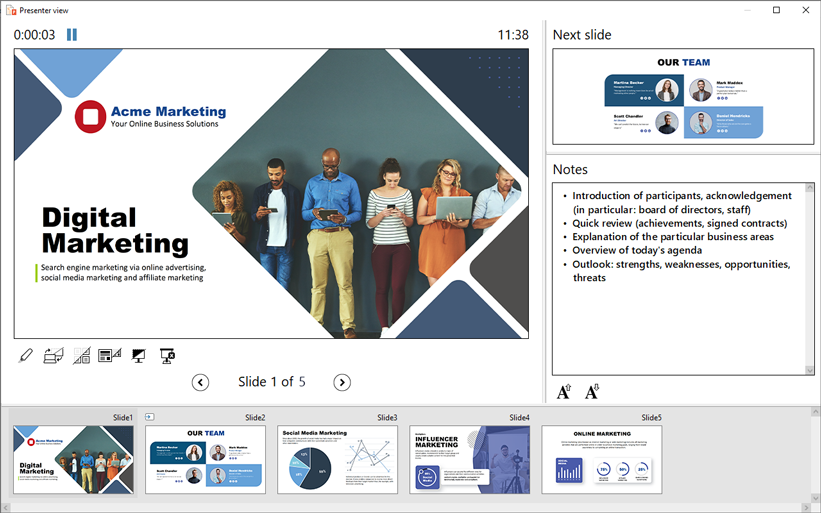
Use notes as an aid to the speaker

Handouts for the audience


Managing and outlining

Built-in interactive outliner: Editing text in the outliner changes the slides simultaneously – and vice versa

Easily sort and manage slides with the practical mini sorter and full-screen sorter.

Extras

Fully Unicode-enabled

SoftMaker Presentations works as an OLE server and lets you insert its slides in any other program, including TextMaker and PlanMaker.

Spell checking in 17 languages

Hyphenation in 33 languages

Thesaurus in 10 languages

Menus and dialogs are available in English, German, French, Italian, Spanish, Portuguese, Dutch, Hungarian, Russian, Bulgarian, Turkish, Chinese, and Japanese

Free-of-charge technical support

System requirements

Windows XP, Windows 2000, Windows 2003, or Vista


 © 2008 SoftMaker Software GmbH


Pricing includes VAT for customers inside the EU. Add shipping & handling.