TextMaker, SoftMaker, Softmaker, Textmaker

 Diese Seite in Deutsch This page in English Español Português


Home

Products

Projects

Support

Shop

About us

SoftMaker Office 2008
for Linux

DataMaker 2008

Overview

TextMaker

PlanMaker

Presentations

Comparison

In the Press

Downloads

SoftMaker


Academic Pricing | Forum | Resellers | Site Map | Contact us | Your Feedback


Free fonts: www.freefont.de


BETA: TextMaker 2008 for Linux. Fast. Powerful. Compatible.

Word processing ... hasn't everything about it been invented already?

Definitely not! TextMaker 2008 offers several new features that are not available in other word processors. On top of this, it is very easy to use and provides seamless compatibility with Microsoft Word.


The Compulsory Exercise: Compatible, Fast, Reliable.

This is what we expect from a word processor: it should be compatible, fast, and reliable.

TextMaker 2008 masters this duty with ease. It starts and works lightning fast and handles even large-scale documents with aplomb – check out this review.

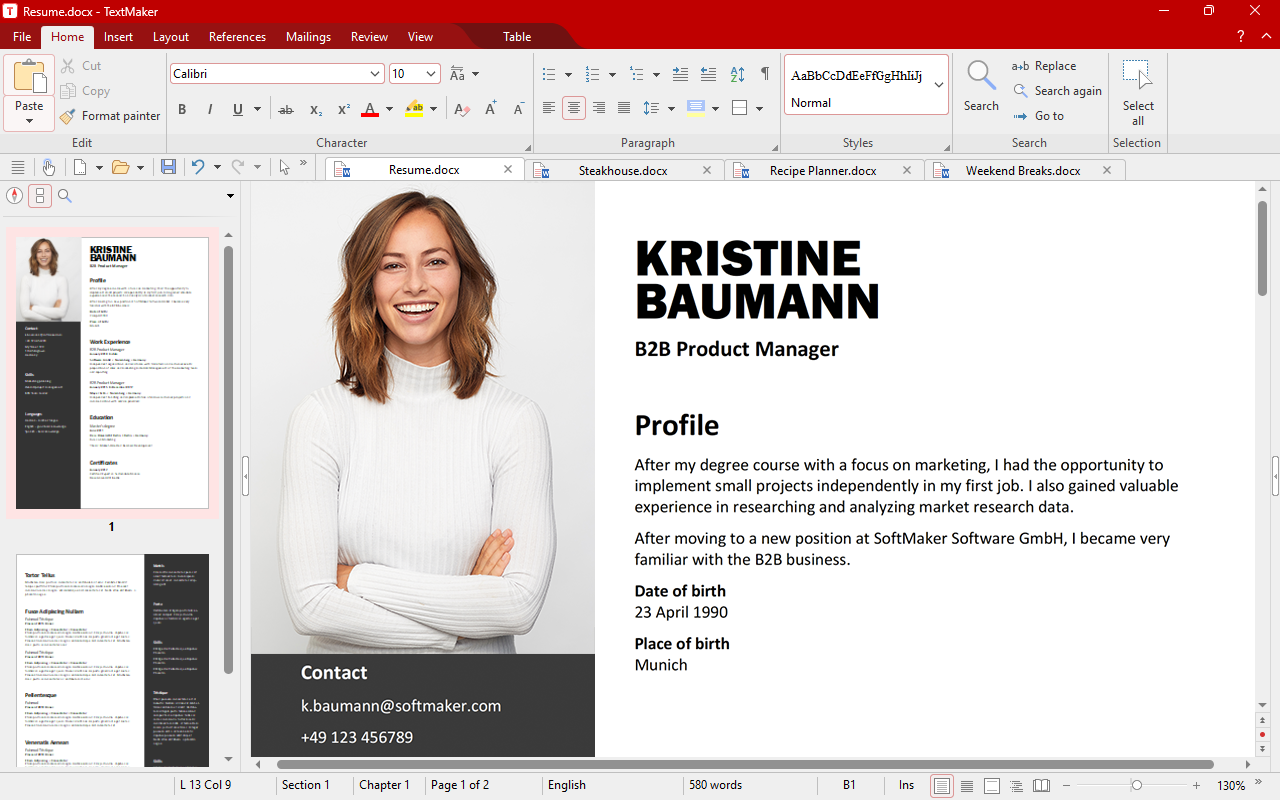
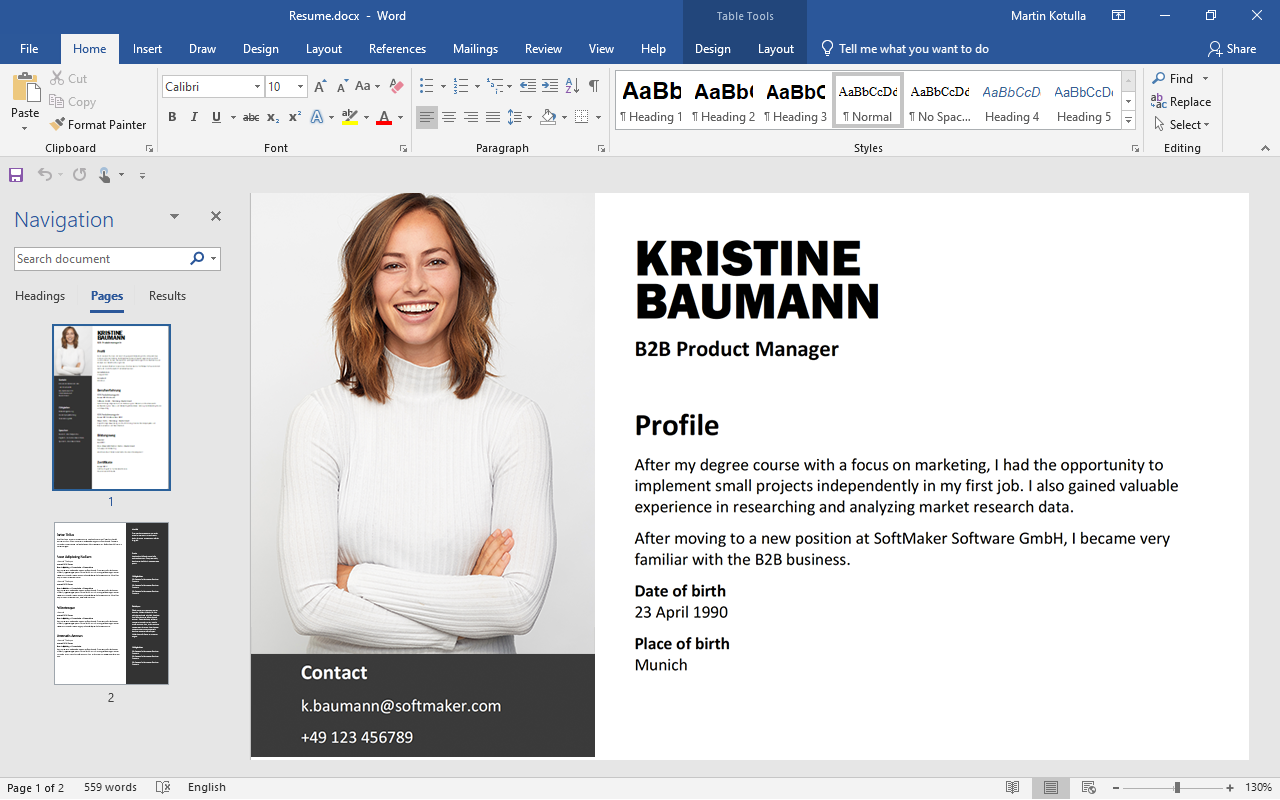
TextMaker offers superior compatibility with Microsoft Word. In fact, you won't find any other word processor that is as capable of handling intricately formatted Microsoft Word files as TextMaker.

Many of the new features in TextMaker 2008 have been designed with the goal of allowing TextMaker users to work seamlessly in Microsoft Word-dominated environments:

Track changes. As soon as you switch on the Track Changes feature, TextMaker records all changes made to a document. If you let a colleague or superior review this document, he or she can accept or reject your changes one by one, no matter whether they work with TextMaker or with Word.

Comments. TextMaker's comments feature is just as compatible: Comments and annotations appear as balloons in the right page margin – just like in Word 2003.

AutoShapes and TextArt. TextMaker offers a complete set of drawing functions that let you create arbitrary geometric shapes or freehand drawings, and insert symbols from its vast symbols library into your documents. You can customize drawings with a huge selection of filling options and you can rotate, mirror, flip, and otherwise reshape them.

TextMaker also supports text effects that let you put together stunning headlines and attractive logos, like with Microsoft WordArt. Of course, AutoShapes and TextArt are compatible with their Microsoft Word counterparts.

By the way, TextMaker doesn't restrict itself to just providing excellent document exchange with Word, but also reads and writes OpenDocument files and numerous other formats.


TextMaker 2008 for Linux

SoftMaker Office 2008 for Linux

EUR 69.95

Customers in the U.S. and Canada: US$ 79.95

Upgrade from an older version of SoftMaker Office, TextMaker, or PlanMaker:

only € 39.95 | $49.95

Bundle offer: SoftMaker Office 2008
for Linux and Windows

EUR 89.95

Customers in the U.S. and Canada: US$ 99.95

Upgrade from an older version of SoftMaker Office, TextMaker, or PlanMaker:

only € 49.95 | $59.95


Some outstanding TextMaker features

Desktop publishing capabilities such as master pages, flexible frames, object mode, contour wrap, and kerning

Create PDF files directly from the application

Track changes and add comments like in Word 2003

AutoShapes and WordArt-compatible font effects ("TextArt") like in Word 2003

Five-language translation dictionary

Spell-checking in 17 languages

Easy-to-use built-in address database: builds letters and mail merges in seconds.

Envelope creator

Menus and dialogs in 14 languages (switchable on-the-fly)

Can be installed to USB flash drives


The Voluntary Exercise: Where TextMaker cuts a better figure.

Layout capabilities like in desktop publishing programs. If you want not only correct but also attractive documents, you'll find a competent partner in TextMaker. It offers layout capabilities that can usually be found only in desktop publishing programs. Among its capabilities are kerning, master pages, sophisticated typographic functions, contour wrap, flexible handling of frames, powerful tools for creating forms, and most importantly: predictable text formatting. With TextMaker, pictures don't jump from one page to another, "just because", or disappear entirely.

Better proofing tools. TextMaker comes with advanced proofing tools – the German government's commission on the German language preferred TextMaker's spell-checker over all other word processors!

Of course, TextMaker doesn't limit itself to the German language: it comes with spelling dictionaries in 17 languages, synonym dictionaries in 10, and reliable automatic hyphenation in 33 different languages. It even includes a translation dictionary for instant translations between English, German, Spanish, French, and Italian.

Address letters and envelopes faster than ever before. Mail merging doesn't have to be complicated. With TextMaker, creating serial letters is child's play! The built-in database not only stores addresses for mail merges but also lets you insert single addresses into single letters with a few mouse clicks.

Now, with TextMaker 2008, you can even create envelopes with sender and recipient automatically filled out – envelopes that print right even on the first try!

You don't need to speak English to use TextMaker. The menus and dialogs of TextMaker are available in 14 languages. Moreover, TextMaker provides a full set of ready-made document templates in many different languages.


 New Functions in TextMaker 2008


NEW: Create PDF files at the touch of a button

PDF exportTextMaker can export any document to the PDF format. These files can then be read and printed with Adobe Reader and any other PDF viewer.

Hyperlinks and tables of contents are also exported, and you keep full control of the graphics quality and the type of font embedding. You can even create PDF forms to be filled out by the recipient.


NEW: Improved master pages

With new TextMaker 2008, you can create a separate master page for the first page of a chapter. This can save you a lot of work; for example, when writing letters, the first page often contains a letterhead which should be omitted on the following pages.

Furthermore, you can now create borders and shadows for whole pages as well as set up the vertical alignment of complete chapters.


NEW: Manage styles with ease

Style managerParagraph and character styles are a popular aid to set up recurring formatting and apply it anytime thereafter.

The new style manager in TextMaker allows you to copy paragraph and character styles as well as numbered lists from one document to another. This way, you can synchronize the styles of your documents and apply new formatting to documents retroactively, letting you match the layout of other documents.


NEW: Envelopes

Create envelopesTextMaker 2008 contains a new envelope generator to create and print envelopes. This new tool saves you the trouble of measuring and positioning the address fields.

Just enter the sender's address or insert it with a few mouse clicks. Then choose the recipient fields from the address database – ready! You can now print the new envelope, save it together with a document, or create a new document from it. It's as easy as that!


Free beta software download

You can download the beta version of SoftMaker Office 2008 for Linux free of charge here.


Features

Easy data exchange

Direct document exchange with TextMaker 2008 and 2006 for Windows, Pocket PCs, and Windows CE

Seamless document exchange with Microsoft Word 6.0, 95, 97, 2000, Word XP, Word 2003, and Word for Macintosh

Opens password-protected Microsoft Word files

Reads and NEW: writes OpenDocument and OpenOffice.org documents

Reads and writes numerous additional file formats – HTML, RTF, Pocket Word, ASCII, Unicode

NEW: Create PDF files (even PDF forms) directly from TextMaker

NEW: Print preview

Editing text

Nearly unlimited undo/redo

Insert fields like date, time, page number, author, auto-numbers, etc.

Bookmarks

"SmartText" feature: just type e.g. "asap" and "as soon as possible" will appear (fully customizable)

Calculations in text and tables

NEW: Shift+F3 lets you switch between uppercase and lowercase: word, Word, WORD

Formatting text

All of the character and paragraph formatting capabilities you expect from a high-end word processor

Extended character formats like small caps, font color, hidden text, adjustable character spacing and character width

Extended paragraph formats like automatic numbering, bullets, borders, shading, fill patterns, widow/orphan control

Character and paragraph style sheets

NEW: The stylesheet manager lets you manage your styles and copy them between different documents

NEW: Kerning

Transfer formatting with the format brush

Line, paragraph, and headline numbering

Headers and footers, master pages (e.g. for watermarks)

NEW: Borders and shades for whole pages


Complex documents

Outliner that lets you easily promote, demote, and rearrange passages of text

NEW: Numerous new keyboard shortcuts for the outliner

"Track Changes" tracks all changes made to documents and lets you accept/reject them later

Comments – add annotations to any part of your documents

Cross references, footnotes, endnotes, tables of contents, indices, bibliographies

Easy creation of forms with input fields, checkboxes, drop-down lists etc.

Drawing and Designing

Comprehensive drawing and image functions: Draw and design directly in your documents

Insert images in all common formats

Object frames can be anchored to paragraphs and NEW: tables or positioned freely.

Change brightness, contrast, and gamma of images directly inside TextMaker

Drawings can be filled with colors, patterns, bitmaps, and gradients

Contour wrap – correct wrapping of text, even around drawings, NEW: even respecting transparent areas (alpha channel)

"Sticky" connector lines between objects

Large symbols library for flowcharts and org charts

TextArt gallery for easy pick-and-choose selection of pre-built type effects

Tables

True nested tables, tables spanning more than one page

Merge, split, and rotate cells

Repeating header rows (rows with headlines automatically repeat on every new page)

Sorting of text and tables


Unicode support

TextMaker is Unicode-enabled. It can be used for writing documents in all Western, Central European and Baltic languages, Russian, Greek, Chinese, Japanese and Korean.

Extended support for Asian scripts

Proofing tools

Multi-language spell-checking, thesaurus, and hyphenation

Automatic spell-checking: typos will be underlined in red.

Built-in five-language translation dictionary: English, German, French, Italian, and Spanish

Extras

Comprehensive built-in address book and database (dBASE format)

Sorting, searching, selecting, filtering by condition

Creates, at the touch of a key, entire letterheads, with recipient's address, salutation, etc. already filled in

NEW: Envelope wizard: Create envelopes that print right even on the first try.

NEW: Full-screen mode hides all menus and toolbars

NEW: Toolbar with integrated word counter

Creates lists and labels

System requirements

Any Linux for PCs with glibc 2.2.5 or higher, X Window system with any Window Manager. 64 MBytes of RAM.


Multi-language support

User interface:

English UK, English US, German, Spanish, NEW: Italian, Portuguese, French, NEW: Dutch, Hungarian, Turkish, Russian, NEW: Bulgarian, Simplified Chinese, and Japanese
 

Spell-checking:

English US, English UK, German, German (reformed), Swiss-German, Swiss-German (reformed), French, French (Canada), Italian, Spanish, Spanish (Latin America), Portuguese, Portuguese (Brazil), Dutch, Danish, Swedish, Norwegian
 

Thesauri (synonyms):

English UK, English US, German, German (reformed), Swiss-German, Swiss-German (reformed), French, French (Canada), Italian, Spanish, Spanish (Latin America), Dutch
 

Automated hyphenation:

English (UK), English (USA), German, German (reformed), Swiss German, Swiss German (reformed), French, French (Canada), Italian, Spanish, Spanish (Latin America), Portuguese, Portuguese (Brazil), Dutch, Danish, Swedish, Norwegian, Finnish, Turkish, Greek, Czech, Polish, Slovak, Slovenian, Croatian, Serbian, Romanian, Bulgarian, Russian, Ukrainian, Estonian, Latvian, Lithuanian
 

Translation dictionary:

English, German, French, Italian, and Spanish


 © 2008 SoftMaker Software GmbH


Pricing includes VAT for customers inside the EU. Add shipping & handling.