One Office for five operating systems
Work with the same documents on Windows, Mac, Linux, iOS and Android – without formatting issues, without having to adjust.
Get the full feature set of a modern Office suite on any device, along with outstanding compatibility with Microsoft Office documents.
SoftMaker Office NX Universal is the best GDPR-compliant alternative to Microsoft Office.

Word processing, spreadsheets, presentations
Write. Calculate. Present.

Write: TextMaker
TextMaker lets you create documents of any length – from flyers and business letters to complete academic papers. Because DOCX is the native file format, your documents are directly compatible with Microsoft Word. Read on...

Calculate: PlanMaker
With PlanMaker, you can create calculations, spreadsheets and charts of any complexity – from class schedules to your company’s financial planning. With XLSX as the native file format, you can edit Excel files directly. Read on...

Present: Presentations
With Presentations, you can create presentations with animations and slide transitions that go beyond what PowerPoint offers. Because Presentations uses PPTX natively, you can exchange slides with PowerPoint without any hassle. Read on...

Privacy made in Germany
Secure. Trustworthy. GDPR compliant.
Your documents remain yours.
SoftMaker Office NX Universal runs locally on your device and strictly adheres to German data protection standards. Built with a clear focus on GDPR requirements – no hidden tracking, no forced cloud connection.
Compatible and more
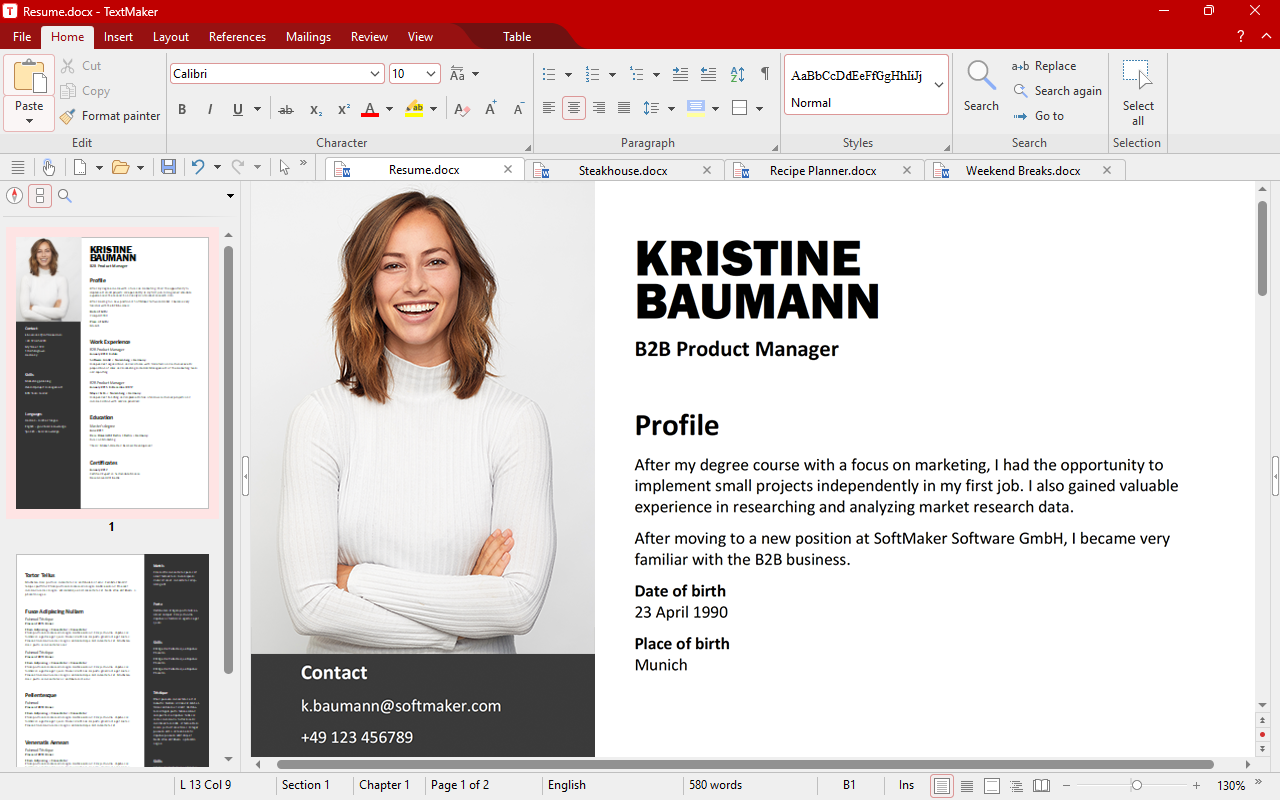
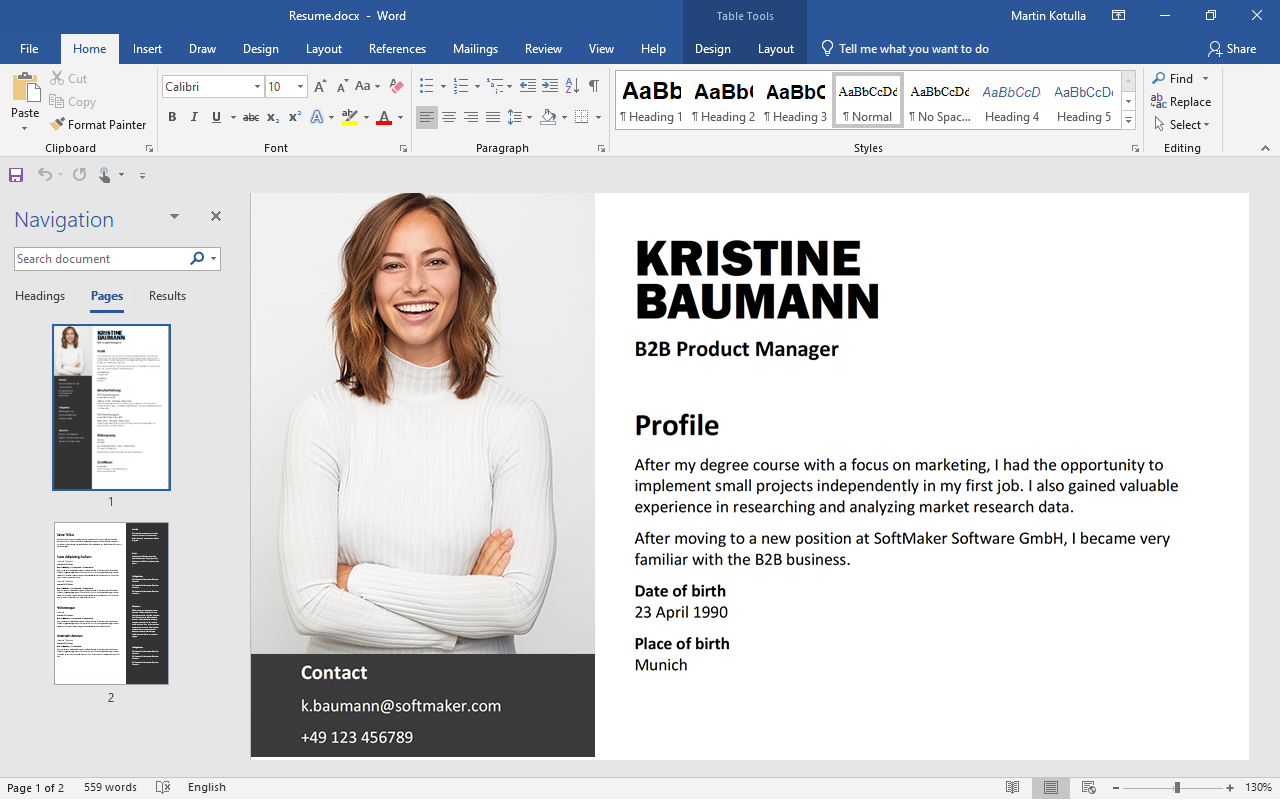
SoftMaker Office NX Universal uses DOCX, XLSX and PPTX as its default file formats.
This lets you continue editing your documents directly in Microsoft Office, with no conversion required.
At the same time, you get additional features that Microsoft Office does not offer.
What’s new in this version
Modern tools for your daily work
Dynamic arrays and XLOOKUP in PlanMaker
One formula, many results: Dynamic arrays automatically spill over into neighboring cells and update themselves whenever the data changes. This also includes XLOOKUP, the flexible successor to VLOOKUP, along with around 30 additional calculation functions.
A fresh design with a deep dark mode
An improved ribbon that now looks perfect even at 150% scaling, and an extra-dark mode that’s easy on the eyes during long work sessions – whether early in the morning or late at night.
Markdown in TextMaker
TextMaker now imports and exports Markdown – ideal for exchanging text with developers, in wikis or in note-taking apps without losing formatting.
AI images
Create high-quality, copyright-free images from a short description – or transform existing images, for example by replacing a cloudy sky with bright sunshine.
Artificial intelligence in Presentations
Presentations turns your topic into slides with relevant text and headings, giving you a framework that you can refine. AI can also summarize long presentations for you.
Grammar and style checking with LanguageTool
LanguageTool checks your text for grammar and style in more than 30 languages – as you type, without interrupting your workflow.
Comments you can reply to in TextMaker
You can now reply to comments and mark them as resolved. This lets you collaborate with your team directly in the document instead of sending comments back and forth by email.
Color themes
Give documents, spreadsheets and presentations a cohesive new color scheme with one click – and switch to another just as quickly whenever a different occasion calls for a new look.
QR codes and PDF as a graphic format
Create multi-line QR codes and EPC QR codes for bank transfers. And you can now insert PDF files directly into your documents as graphics.
New print preview
Print and preview in one dialog: See the result immediately and adjust pages, margins and output settings right alongside it – just like in Word and Excel.
Outline view with drag and drop
The improved outline view in TextMaker displays your document's structure. Drag a heading to a new location, and all its subheadings and paragraphs move with it automatically.
Insert emojis
In Windows, you can now easily insert emojis in TextMaker, PlanMaker and Presentations – for more casual notes, notices or presentation slides.
You can find the full list of improvements here.
One Office suite for five operating systems
Start a document on your PC or Mac and edit it on the go on your iPhone, iPad or Android device – at no extra cost.
Work on your smartphone and tablet as comfortably as on a PC: SoftMaker Office brings the full functionality of a desktop Office suite to mobile devices.
Edit your documents whenever and wherever you want.




Language tools
Duden Korrektor and LanguageTool
Duden Korrektor checks your German texts for spelling, grammar and style – precisely according to the rules of the Duden editorial team.
LanguageTool adds grammar and style checking in more than 30 languages. Both analyze your text as you type, without interrupting your workflow.
Artificial intelligence
The Office suite with integrated ChatGPT
ChatGPT helps you write, rephrase and summarize text directly in your document – whether it’s a report, article or note.
You can also use AI to create high-quality copyright-free images ("The Statue of Liberty with fireworks") and transform existing images ("Replace the cloudy sky with bright sunshine").


Always the latest version
As part of your subscription, you’ll automatically receive every new version and every new feature at no additional cost.
You always use the latest generation of the software, both at work and at home.