|
|
 |
|
What's new in PlanMaker 2010?
|
 |
NEW: Document
tabs for easy switching between open documents |
|
 |
NEW:
Seamless import of XLSX files (Excel 2007) |
|
 |
NEW: Breathtaking
charts in presentation quality |
|
 |
NEW: Strong
graphics features such as mirror effects, soft shadows,
transparencies, and image manipulation |
|
 |
NEW:
All drawings are now fully antialiased. |
|
 |
NEW:
Capacity increased fourfold, up to 400% faster |
|
 |
NEW: External
references |
|
 |
NEW:
Wizards for importing and exporting text files and dBASE files |
|
 |
NEW:
Formula auditing, scenarios |
|
 |
NEW:
Repeat command |
|
 |
... and much more! |
|
|
|
If you want to present the results of your calculations as attractive
charts, PlanMaker is the right spreadsheet application for you. PlanMaker's
new charts will stun your audience. |
Everybody has to calculate things every day: check bank or tax
statements, do budgeting or sales forecasts, create comprehensive
financial models, compare mortgage offers for that great house you've
set your sight on...
PlanMaker 2010, the Microsoft Excel-compatible spreadsheet in SoftMaker
Office 2010, does all of the above with ease. But it does
not stop there: it also lets you create impressive charts from the results.
Calculate.
|
|

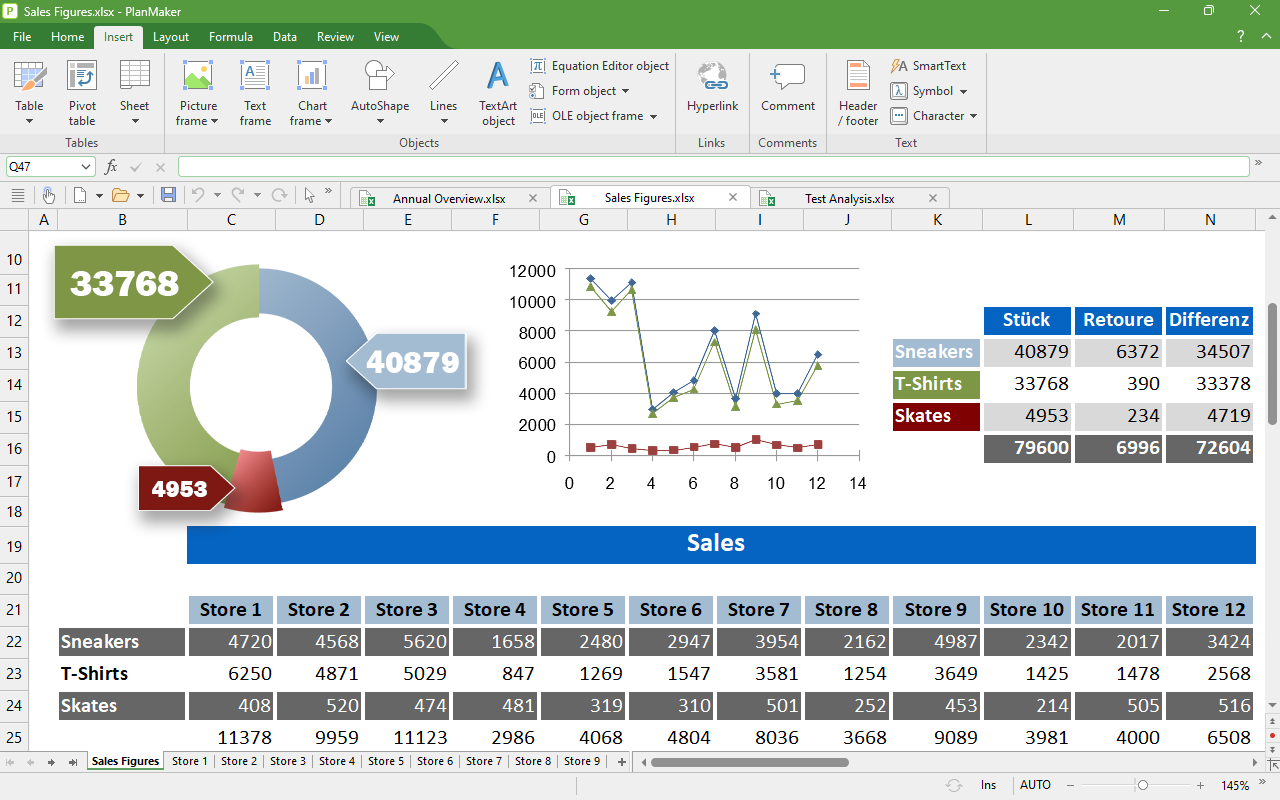
Pie charts in PlanMaker 2010
Click to enlarge |
|
|
More than 330 calculation functions are built in. They cover
date and time calculations, mathematics, statistics, financial maths,
numeric conversions, and data analysis. But PlanMaker does not stop
there: It excels also at complex numbers and array (matrix) functions.
You can analyze data by grouping them into database ranges and
then applying statistical function on them. Such database ranges can
also be sorted, transposed, and filtered by arbitrary criteria
through use of AutoFilters and special filters.
You can easily reference cells in large worksheets by assigning names
to cell ranges and then accessing these ranges by their name.
Data grouping hides single values or intermediate results
similar to the outliner of a word processor giving you
a quick view of the results of your calculations.
"What if" questions can now be answered by
using the new scenario manager
that lets you try out calculation alternatives using varying values.
If a mistake is hiding somewhere in your calculations, syntax
highlighting and the new formula auditing
module let you quickly find the place where things are going wrong.
Forms can be easily created with the built-in
forms objects, such as checkboxes, listboxes, input fields, spin
controls, and dropdown lists. Using input validation you can
ensure that only valid data can be input in your worksheets.
Design.
|

Pie charts in PlanMaker 2010
Click to enlarge |
|
Creating elaborate calculations is only one part of the equation. If
you want to persuade your audience, you should make sure to create
visually pleasing worksheets that help you state your point.
PlanMaker has comprehensive formatting features: Cells can be
shaded in many different styles and have any kind of border. Multiple
cells can be merged horizontally and vertically, and the contents of
cells are easily rotated.
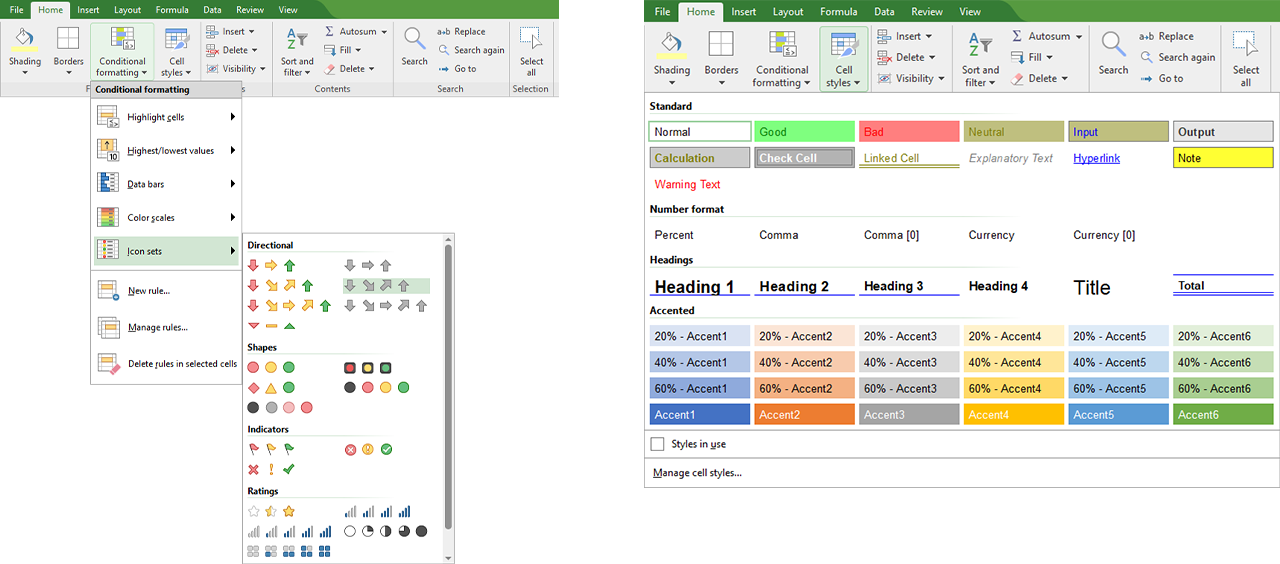
Conditional formatting changes the appearance of cells
depending on their contents, and the AutoFormat command
creates attractive layouts for your worksheets at the press of a key.
Repeating format styles can be saved as cell or character stylesheets
and later recalled through a simple menu choice. |
|
|
|
PlanMaker supports drawing right on the worksheet: A
full-featured AutoShapes drawing module is built into
PlanMaker, and our vast symbols library complements it. This means
that you can not only create common geometric shapes, but also
elaborate flowcharts and org charts.
Freehand drawing is possible just as well: Create a sketch like in a
graphics program. Each of your drawings can be filled with colors,
linear and radial gradients, bitmap patterns, etc.
Present.
|
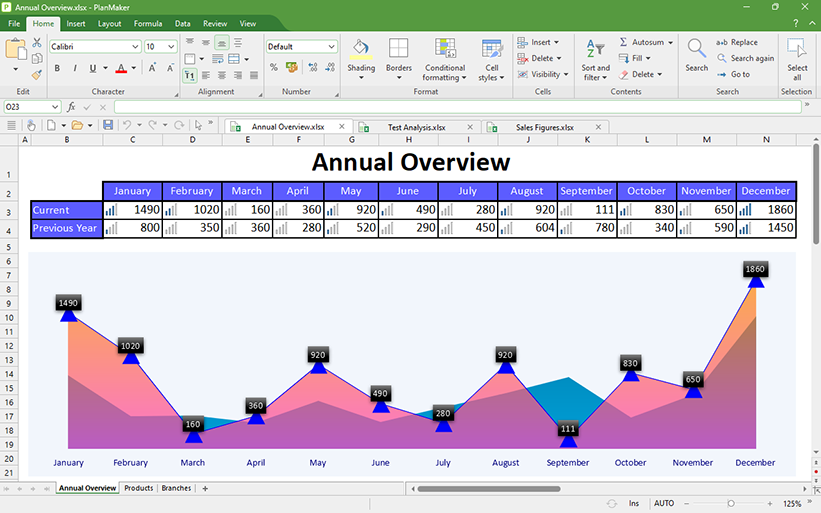
Charting turns numbers into pictures. Great charting convinces your
audience. PlanMaker 2010 comes with a completely new charting engine
that creates simply stunning charts that impress your audience.
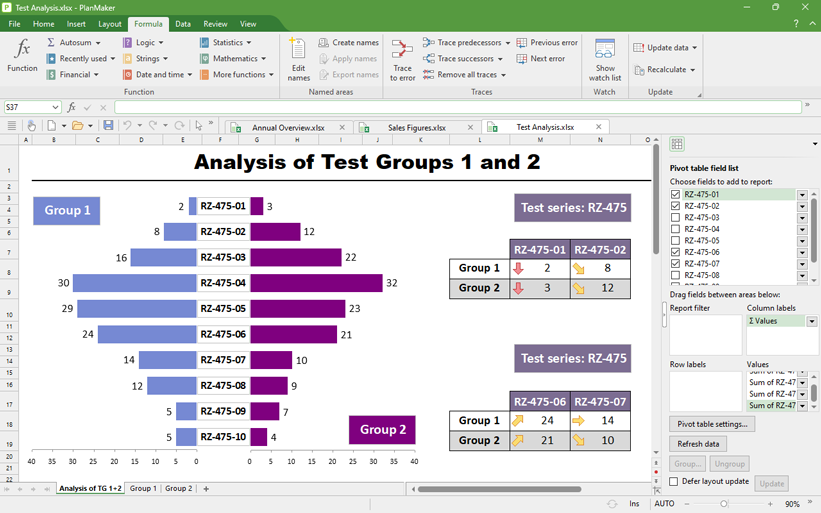
Even stock chart types like bar or column charts are now
painted elegantly with color gradients, transparency, and
perspectively correct fills. Soft shadows and selectable light
sources create spectacular effects.
In pie charts you can create beveled and rounded borders.
Surface, bubble, or pyramidal charts pose no problem for
PlanMaker, and neither does adding trend lines and secondary axes. |
|
|

Bubble charts in PlanMaker 2010
Click to enlarge |
|
Read and write Excel files seamlessly.
|

Pie charts in PlanMaker 2010
Click to enlarge |
|
PlanMaker reads and writes XLS files created by Microsoft
Excel 95 up to Excel 2007 with the highest fidelity, ensuring easy
and safe file exchange with all Microsoft Excel users.
Starting with PlanMaker 2010, our software can now
also read the new XLSX format of Microsoft Excel 2007 without
loss of formatting or content.
Incidentally, you can also set PlanMaker's default file format to
XLS, ensuring that your coworkers and customers will be able to open
your worksheets. |
Free beta software download
You can download the beta version of SoftMaker Office 2010 for Linux
free of charge here. |
Features
Easy data exchange
|
 |
Lossless document exchange with PlanMaker 2010,
2008, and 2006 for Windows, Windows Mobile, and Windows CE |
|
 |
Seamless document exchange with Microsoft
Excel 5.0, 95, 97, 2000, Excel XP, and Excel 2003
as well as Microsoft Excel for Mac |
|
 |
Read and write password protected XLS files |
|
 |
NEW: Seamless
import of XLSX files (Microsoft Excel 2007), including
password-protected ones |
|
 |
NEW: Import and
export wizard for text files |
|
 |
NEW: Import and
export wizard for dBASE databases |
|
 |
Create PDF files directly from PlanMaker |
|
 |
Scale the printout so that it fits on "n" pages |
|
 |
Print 2, 4, 8, or 16 pages on one sheet of paper |
Comprehensive calculations
|
 |
More than 330 calculation functions |
|
 |
Supports complex numbers and array functions |
|
 |
Numbers can be formatted as currency, with fixed
decimal places, thousands separators, as percentage values, as
fractions, as dates and times, etc. |
|
 |
International currency support |
|
 |
Perpetual time format (20:00 + 5:00 is not 1:00 but
25:00), negative times possible |
|
 |
Goal seeker |
|
 |
AutoSum, AutoProduct
etc. automatically find the desired cell ranges |
|
 |
AutoFill with smart series recognition |
|
 |
Named ranges |
|
 |
NEW: External references |
|
 |
NEW: Formula auditing |
|
 |
NEW: Scenarios |
|
 |
Cell comments with arbitrary text formatting |
|
 |
Quickly select cell ranges from dialogs |
|
 |
Cell and sheet protection against accidental or
deliberate modification etc. |
|
 |
Read and write protection for documents, encryption |
|
|
Creating and editing sheets
|
 |
Freeze rows and columns |
|
 |
Syntax highlighting |
|
 |
Input validation |
|
 |
NEW:
"Repeat" command repeats the last command |
|
 |
NEW:
AutoCompletion for cells |
|
 |
NEW: Search across
multiple sheets |
|
 |
NEW: "Search
multiple" function |
|
 |
NEW: Select and
format multiple sheets simultaneously |
Formatting sheets
|
 |
Cell and character style sheets |
|
 |
Transfer formatting with the format brush |
|
 |
Conditional formatting |
|
 |
AutoFormat: Formatting with a single mouse click |
|
 |
Borders, shades, fill patterns |
|
 |
Cell rotation and merging |
|
 |
Center across columns |
|
 |
Create forms with input fields, checkboxes,
drop-down lists etc. |
|
 |
Footers and headers (separately for left/middle/right) |
Graphics and drawings
|
 |
Comprehensive drawing and graphic functions
integrated: draw directly in the worksheet |
|
 |
Insert pictures in all common formats, freehand
drawings, rectangles, circles etc. |
|
 |
All drawings fully compatible with Microsoft Excel's AutoShapes |
|
 |
NEW: Strong graphics
functions such as mirror and glow effects,
soft shadows, and transparency |
|
 |
NEW: Crop pictures
directly in PlanMaker |
|
 |
Change brightness, contrast, and gamma of images
directly inside PlanMaker |
|
 |
Drawings can be filled with colors, patterns,
bitmaps, and color gradients |
|
 |
Arrange, flip, mirror objects |
|
 |
"Sticky" connector lines between objects |
|
|
|
 |
Comprehensive symbol library for flow charts and org charts |
|
 |
Create font effects with the TextArt module |
Present and visualize
|
 |
Powerful charting module lets you create
persuasive charts |
|
 |
Fully Excel-compatible charting |
|
 |
70 different chart types (2D and 3D) |
|
 |
NEW: Impressive
special effects in charts: soft shadows, bevels, transparency, light
sources etc. |
|
 |
Free rotation and distortion of 3D charts |
|
 |
Each chart element can be individually formatted with
any kind of filling pattern, color, or gradient |
Data analysis
|
 |
Create database ranges within worksheets |
|
 |
Data grouping (outliner) |
|
 |
Sort and transpose |
|
 |
Filter by condition, AutoFilter, Special filter |
|
 |
Database functions for sum, average, variance etc. |
Extras
|
 |
Fully Unicode-enabled, including Arabic |
|
 |
NEW:
Spell-checking in 20 languages |
|
 |
Hyphenation in 33 languages |
|
 |
Menus and dialogs can be shown in English, German,
French, Spanish, Italian, Portuguese, Dutch, NEW:
Swedish, Hungarian, Russian, Bulgarian, NEW:
Greek, Turkish, NEW: Arabic,
Simplified Chinese, and Japanese |
|
 |
Free-of-charge technical support |
System requirements
Any Linux for PCs with glibc 2.2.5 or higher, X Window
system with any Window Manager. 64 MBytes of RAM. |
|